©2014 Clearpath Robotics Inc. All Rights Reserved.
User Bay Power Connections
The user area power terminals are capable of supplying 5V, 12V, and 24V at up to 5A each for
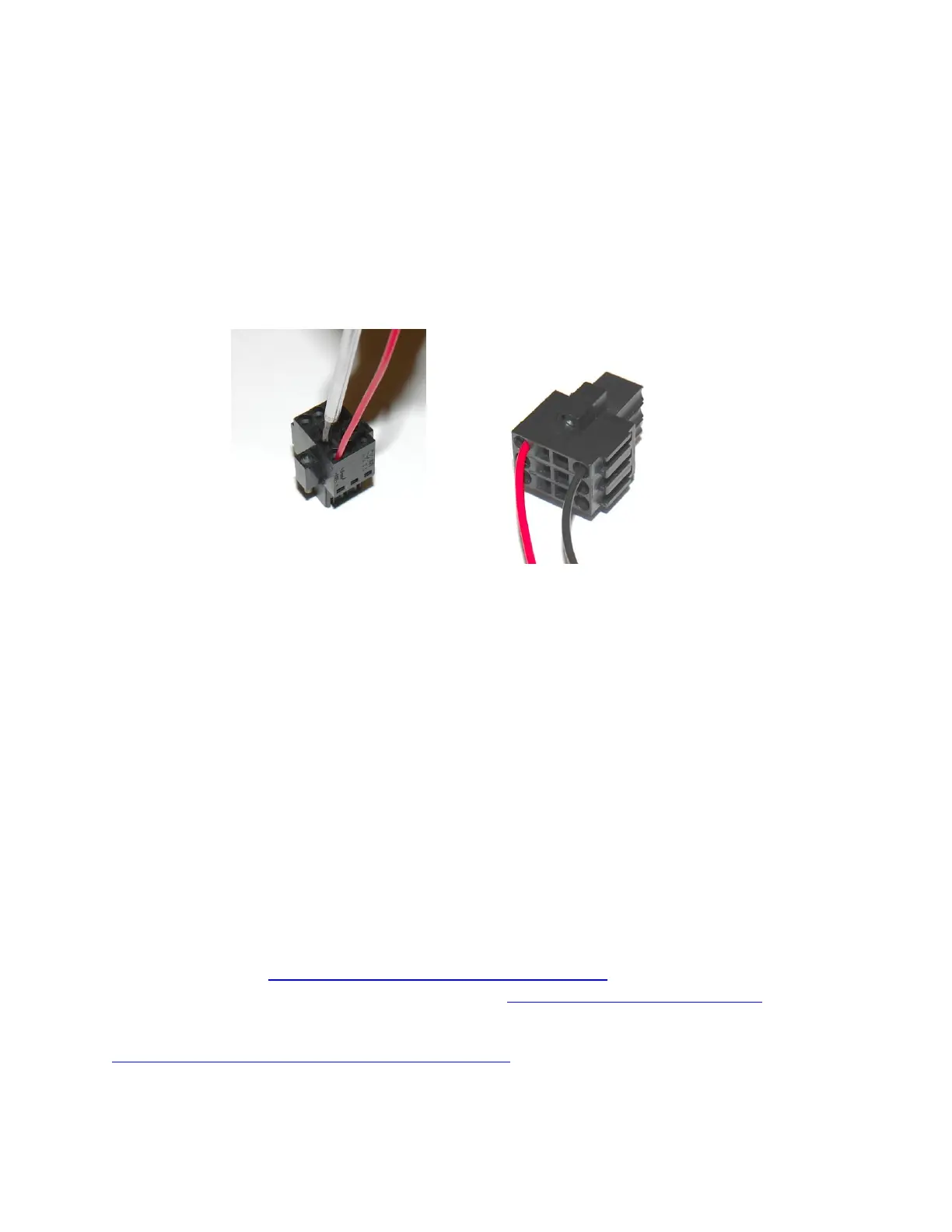
powering Husky’s payloads. Each terminal comes equipped with a removable connector into
which your payload power leads may connect.
To begin, expose about 5mm of bare wire from the payload power leads. The power connector
features two openings on the top for each pin; a square hole and a round hole. Insert a 2mm
wide flat head screwdriver into the square hole to “open” the adjacent round hole. Slide the
power lead into the round hole, and then remove the screwdriver to lock the wire in place.
When connecting payloads be sure to observe correct polarity as marked on the inside of the
user bay. Do not exceed the 5A maximum current limit of each power rail; failure to do so may
result in damage to Husky or your payload.
Verification
If a computer was purchased with Husky, it will be setup to interface automatically upon
startup. 60-90 seconds after booting up, the Husky comms light will change from red to green
(or yellow, depending on e-stop status), indicating that ROS is up and has established
communications with Husky.
To tele-operate Husky, plug a USB joystick into the included onboard computer, and release the
emergency stop. After a few seconds, ROS should recognize the joystick and begin passing
commands through to the mobile platform. Press the enable button (typically button 1), and use
the main joystick axis or left thumbstick to drive Husky.
If Husky was purchased without a computer, ROS will need to be set up for use with Husky on a
user-supplied PC. The intended model is for this PC to be running Ubuntu 12.0.4 LTS and have
ROS Hydro installed http://wiki.ros.org/hydro/Installation/Ubuntu. Afterwards, instructions to
download Husky software packages can be found at http://ros.org/wiki/Robots/Husky.
Direct control using the Python or C++ interfaces is also possible, the API is available at
http://www.clearpathrobotics.com/husky/downloads. However, please note that Clearpath
Robotics no longer provides support for these packages, and are supplied as is.



 To Next Page