EasyManua.ls Logo

Clenergy SPH50 - User Manual

Clenergy SPH50
26 pages
Print Icon
To Next Page IconTo Next Page
Loading...
Page 1 of 26
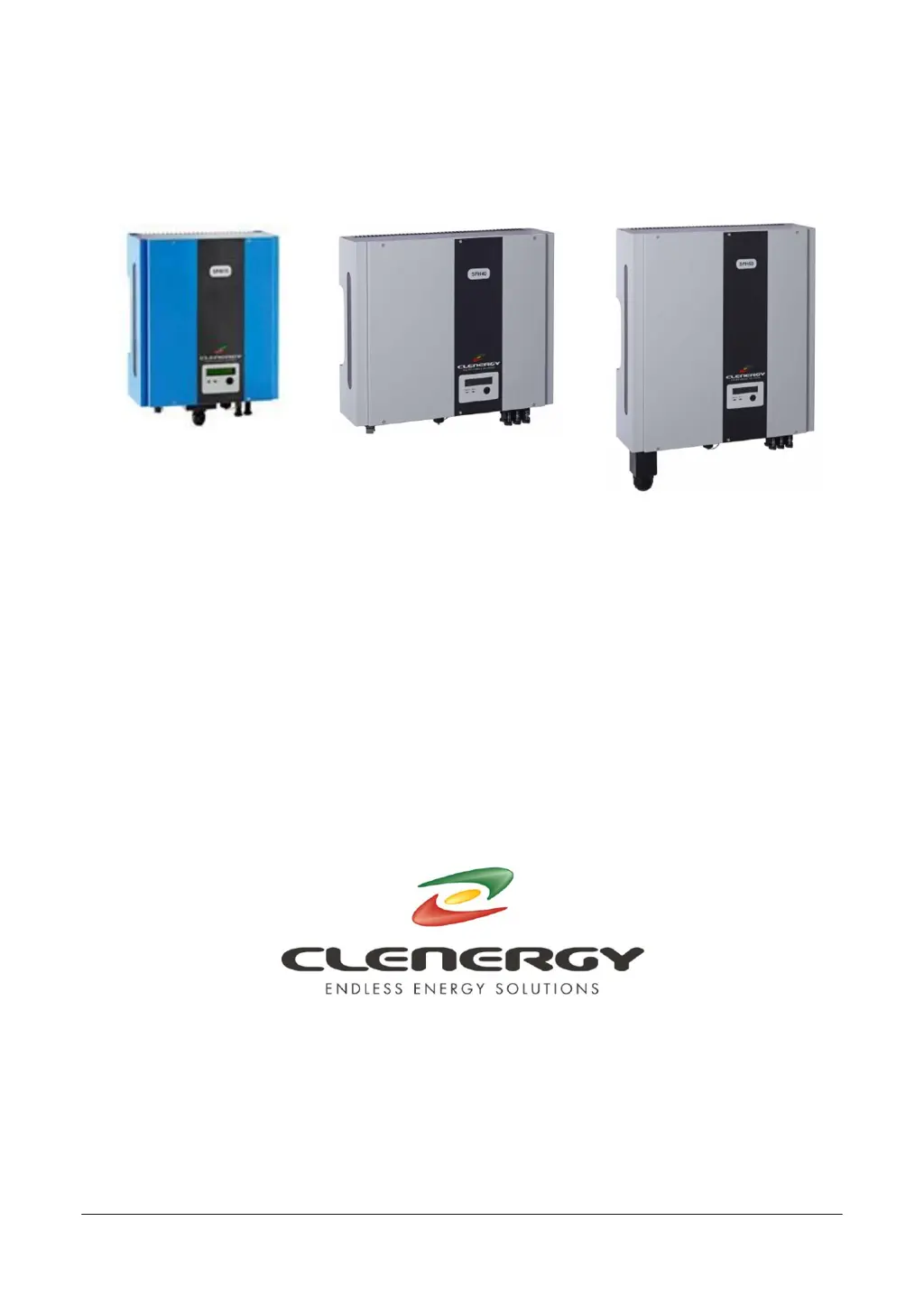
Clenergy SPH Installation and Operation Manual
SPH Grid PV-inverter
Installation and Operation Manual
SPH MODELS
INCLUDED IN THIS MANUAL
SPH15 1500W
SPH20 2000W
SPH30 3000W
SPH40 4000W
SPH50 5000W
SPH60 6000W
N305 WeiYe Building, Pioneer Park XiaMen China 361006
Tel: +86-592-5781288
Fax: +86-592-5782298
Website: www.clenergy.com.cn

Questions and Answers

  • A
    Ashley ThompsonAug 13, 2025
    What to do if my Clenergy SPH50 shows a system fault?
    • R
      ronaldmoraAug 13, 2025
      If your Clenergy Inverter displays a system fault, it could be due to several reasons. First, check the grid voltage using a multimeter. If the voltage is absent, that's the issue. Also, examine the grid connection, including the wiring and connectors leading to the inverter. Finally, inspect the breaker between the inverter and the grid; if tripped, do not reset it yourself. Instead, have an electrician inspect the wiring and the inverter.
  • J
    Jessica WongAug 17, 2025
    Why is my Clenergy Inverter showing a grid fault?
    • C
      caroline26Aug 17, 2025
      A grid fault on your Clenergy Inverter can occur due to irregularities in the grid power supply. First, wait for the grid power to return to normal; the inverter should automatically restart within 5 minutes. If the issue persists, use a multimeter to check the grid voltage and frequency, ensuring they meet the required specifications. If the voltage and frequency are out of range, and if permitted by your electricity provider, contact your inverter service representative to discuss adjusting the operating range.
  • G
    grant65Aug 20, 2025
    What causes an Impedance Fault in a Clenergy SPH50 Inverter?
    • K
      karinabrownAug 20, 2025
      An impedance fault in your Clenergy Inverter can be triggered if the grid impedance exceeds the permissible value. If this occurs, wait for the grid power to stabilize; the inverter should automatically restart within 5 minutes. Additionally, inspect the wiring between the inverter and the grid. For high impedance connections, consult an electrician about increasing the wire size. If problems persist, contact your inverter service representative to discuss adjusting the operating range, if permitted by the electricity provider.
  • D
    Dr. Michael Berry DDSAug 25, 2025
    How to fix a Ground I Fault on a Clenergy SPH50?
    • J
      Jessica WyattAug 25, 2025
      A Ground I Fault on your Clenergy Inverter indicates excessive ground current. To address this: 1. Disconnect the inverter from the grid power. 2. Carefully inspect the AC wiring and connection system. 3. After resolving the cause, reconnect the inverter to the grid power and check its status. If the problem persists, the GFCI circuit may be faulty, and you should contact your inverter service representative.
  • J
    Jennifer MullinsAug 28, 2025
    What should I do if my Clenergy SPH50 displays PV Over Voltage?
    • J
      Joshua BentleyAug 28, 2025
      If your Clenergy Inverter is showing a PV Over Voltage error, start by checking the PV open-circuit voltage, making sure it is less than 500VDC. If the PV voltage is significantly lower than 500VDC (e.g., less than 430V), measure the DC voltage using a multimeter and compare the readings with the LCD display. If the readings differ by more than 5%, contact your inverter service representative.
  • S
    Stacy AlexanderSep 1, 2025
    How do I troubleshoot an Isolation Fault on my Clenergy SPH50?
    • G
      Gabriel HammondSep 1, 2025
      To troubleshoot an Isolation Fault on your Clenergy Inverter, check the impedance between PV (+) & PV (-) and earth ground, ensuring it exceeds 8MΩ. A lower impedance may indicate a ground fault in the PV array or wiring, requiring assistance from your PV array service provider or electrician. If these steps do not resolve the issue, the isolation detection circuit might be faulty, and you should contact your inverter service representative.
  • B
    belindamayoSep 4, 2025
    What does a Device Fault mean on my Clenergy SPH50 Inverter?
    • D
      Dillon MullenSep 4, 2025
      A Device Fault on your Clenergy Inverter typically indicates an inverter malfunction. To attempt a fix, disconnect either PV (+) or PV (-) from the input and restart the unit. If the problem persists, contact your inverter service representative.
  • M
    Ms. Kelly Young MDSep 8, 2025
    What to do if Clenergy SPH50 Inverter shows Consistent or Mismatch Fault?
    • T
      Thomas RodriguezSep 8, 2025
      A Consistent or Mismatch Fault on your Clenergy Inverter suggests inconsistencies between the main (master) and redundant (slave) controllers. To resolve this, disconnect either PV (+) or PV (-) from the input and then restart the unit. If this does not correct the problem, contact your inverter service representative.

Summary

Important Safety Information

Electrical Shock Safety

Highlights electrical shock hazards and emphasizes adherence to safety protocols for preventing injury.

Manual Introduction

Pre-Use Guidance

Provides introductory remarks and stresses the importance of reading the manual before operating the product.

Inverter Overview and Connections

SPH15, SPH20, SPH30 Models

Details the front, bottom views, and connection ports for SPH15, SPH20, and SPH30 inverters.

SPH40 Model

Illustrates the front, bottom views, and connection ports for the SPH40 inverter.

SPH50, SPH60 Models

Presents the front, bottom views, and connection ports for SPH50 and SPH60 inverters.

PV System Diagram

System Components

Diagram illustrating the PV array, inverter, connection system, and utility grid interaction.

Installation Guide

Pre-Installation Checks

Lists essential items to check before commencing the installation process.

Inverter Mounting Procedure

Step-by-step instructions for securely mounting the SPH inverter to a vertical surface, including dimensions.

AC Connection Setup

Guidance on preparing the AC utility connection, including wire selection and socket assembly.

PV Array Connection

Procedure for connecting the DC PV array to the inverter, covering voltage limits and safety precautions.

Installation Testing

Steps for verifying the correct installation and operation of the inverter after connecting power.

Inverter Status Monitoring

LED and LCD Indicators

Explains the operational status conveyed by LED lamps and the LCD display panel.

Display Panel Settings

Instructions for navigating and adjusting settings like contrast and language on the inverter's LCD display.

Fault Diagnosis

Error Message Reference

Provides a list of error messages and their explanations for identifying inverter faults.

Operating States and Messages

Describes various operating conditions, corresponding display messages, and their meanings.

Communication Interfaces

RS232 Interface Details

Information on the RS232 interface, including pin functions and connector specifications.

Optional Communication Expansion

Details the expansion slot for optional communication modules like RS485 and SNMP.

Troubleshooting

Visual Inspection Procedure

Steps for performing a visual inspection of the inverter and connections to aid troubleshooting.

Failure Verification Steps

Procedure to verify inverter malfunction by checking operational status after power cycling.

Common Fault Resolution

Guidance on resolving common faults such as 'No Utility', 'Grid Fault', and 'Isolation Fault'.

Specific Inverter Failure Fixes

Troubleshooting steps for specific inverter failures like Over Temperature and PV Over Voltage.

Technical Specifications

Model Specifications Table

Comprehensive table detailing technical specifications for all SPH inverter models.

Clenergy SPH50 Specifications

General IconGeneral
Number of MPP Trackers2
Rated Output Power5000 W
Output Frequency50/60 Hz
Protection LevelIP65
Nominal AC Power5 kW
Nominal AC Voltage230 V
Operating Temperature Range-25°C to 60°C

Related product manuals