SLEEPVIEW USER MANUAL
12
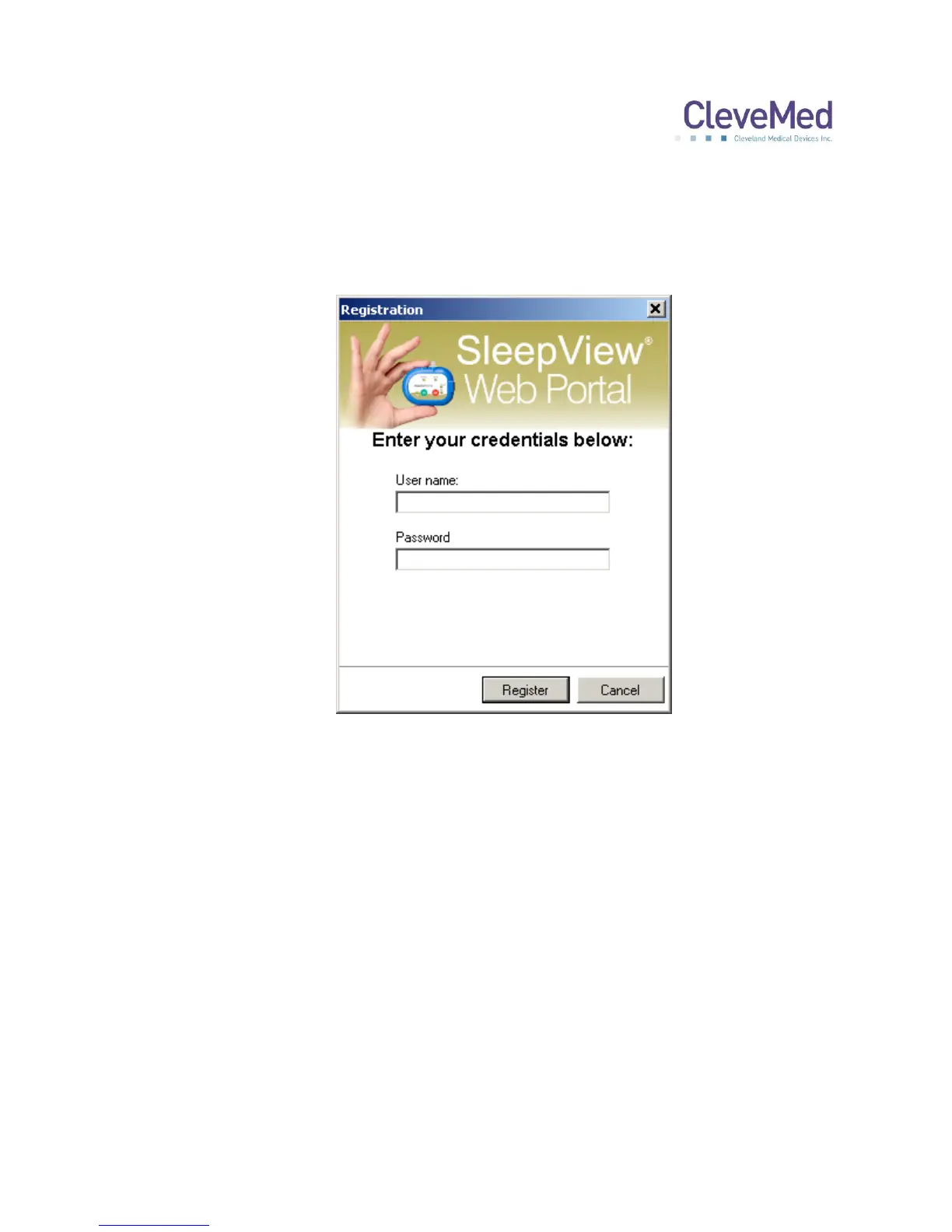
5. If this is the first time you are installing the system, you will be prompted with a
dialog entitled “Registration”. In order to continue, enter valid
clevemedsleepview.com credentials (username and password) using the fields
provided and click <Register>. If you do not have a username or password, then
click <Cancel> and contact technical support for assistance.
PLEASE NOTE: If you are unable to register the system with
www.clevemedsleepview.com at the time of installation, you can re-initiate
registration by selecting “Upload Client” from the SleepView Manager Program
menu. Additionally, this dialog will appear after every reboot until you have
registered the system with www.clevemedsleepview.com.


 To Next Page