SLEEPVIEW USER MANUAL
25
Chapter 8: Reviewing Studies
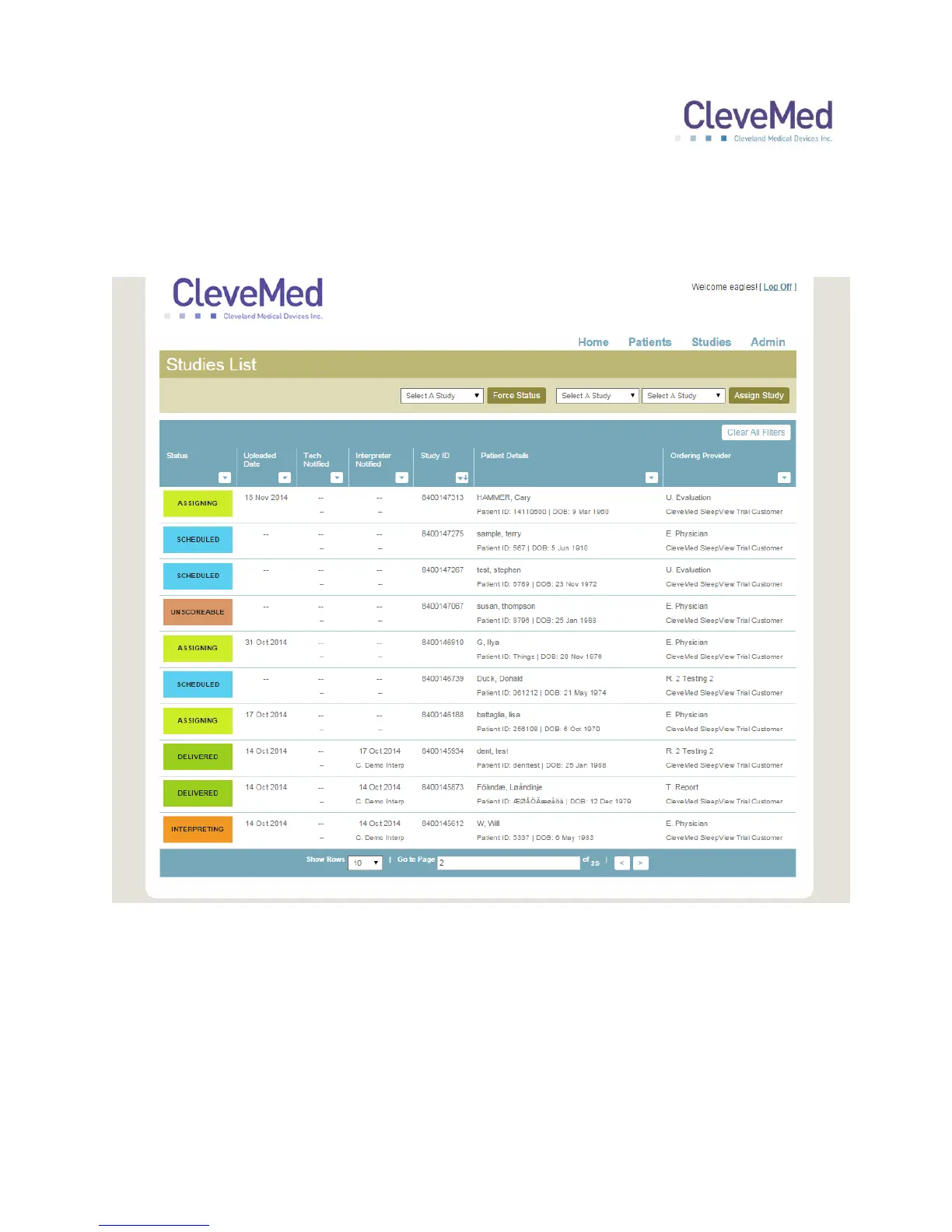
To review a study, click “Review Studies” from the “Home” page and a list of available
studies for your practice will be presented:
The list can be searched, filtered and sorted by selecting menu button at the top of each
column. Click on the study you would like to view and a study detail page will appear.
The study detail page has two sections: “Patient Details” displays the patient information
at the top of the page. “Patient Studies” provides one or more tabs representing each
study the system has for that patient. The tab for the study you selected will be
highlighted. Within the selected tab are presented summary information about the type
of study and equipment used, as well as access to the questionnaire and reports.


 To Next Page