SLEEPVIEW USER MANUAL
24
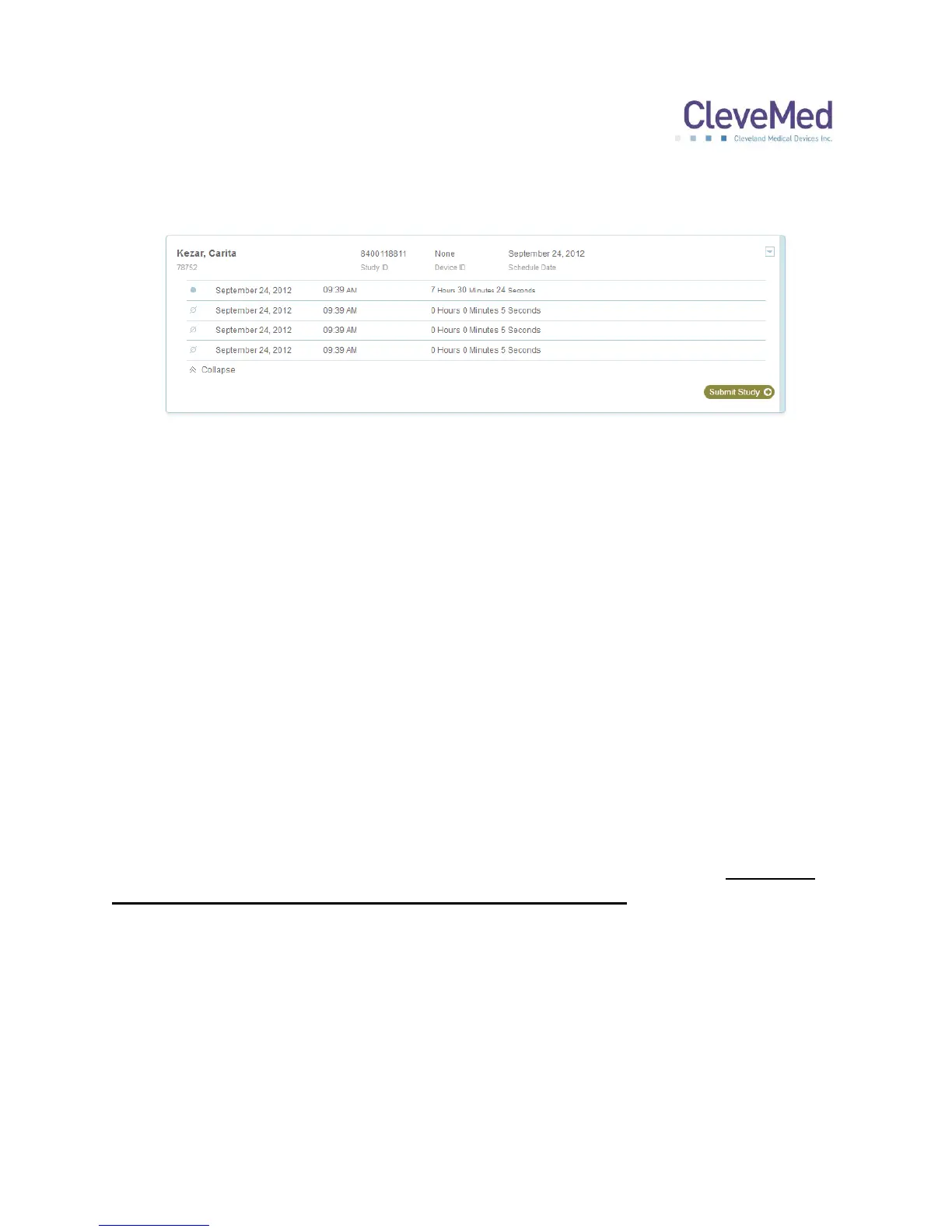
Clicking the double arrow at the bottom left of the study list will expand to show
suboptimal recordings.
These studies may be the result of training the patient or testing the system before
dispensing it or the patient may have not recorded good data over night. Please contact
technical support if you have any questions about these studies.
The blue arrow at the top right of the study list is an option menu. Please follow the
onscreen prompts or contact technical support for assistance.
About the Miscellaneous Tab
If a study is uploaded that does not match a scheduled study or was part of a scheduled
study and was not submitted for review, it will be listed on the “Miscellaneous” tab.
In the event that a study was not properly acquired and submitted without a proper
“Study ID”, you may need to look for it in this list and try to match the time, date, and
unit ID, to the actual study date and time and SleepView Monitor that went home with
the patient.
PLEASE NOTE: The “Miscellaneous” Tab is not designed to be a part of regular
system usage. It is offered only to manage situations that may occur if the user
fails to follow the recommended steps to using SleepView. Please contact
technical support if you are having difficulty with the system usage.


 To Next Page