SLEEPVIEW USER MANUAL
11
Chapter 4: SleepView Manager Software
The SleepView Manager software is used to prepare the SleepView Monitor for
collecting patient data, and to download the data collected as part of a study. The
SleepView interfaces with the PC through a micro USB port located inside the battery
door. The battery must be removed to connect the USB cable. The SleepView Monitor
must be manually turned on by pushing the ON button after connecting to the PC.
Installing the SleepView Manager Program
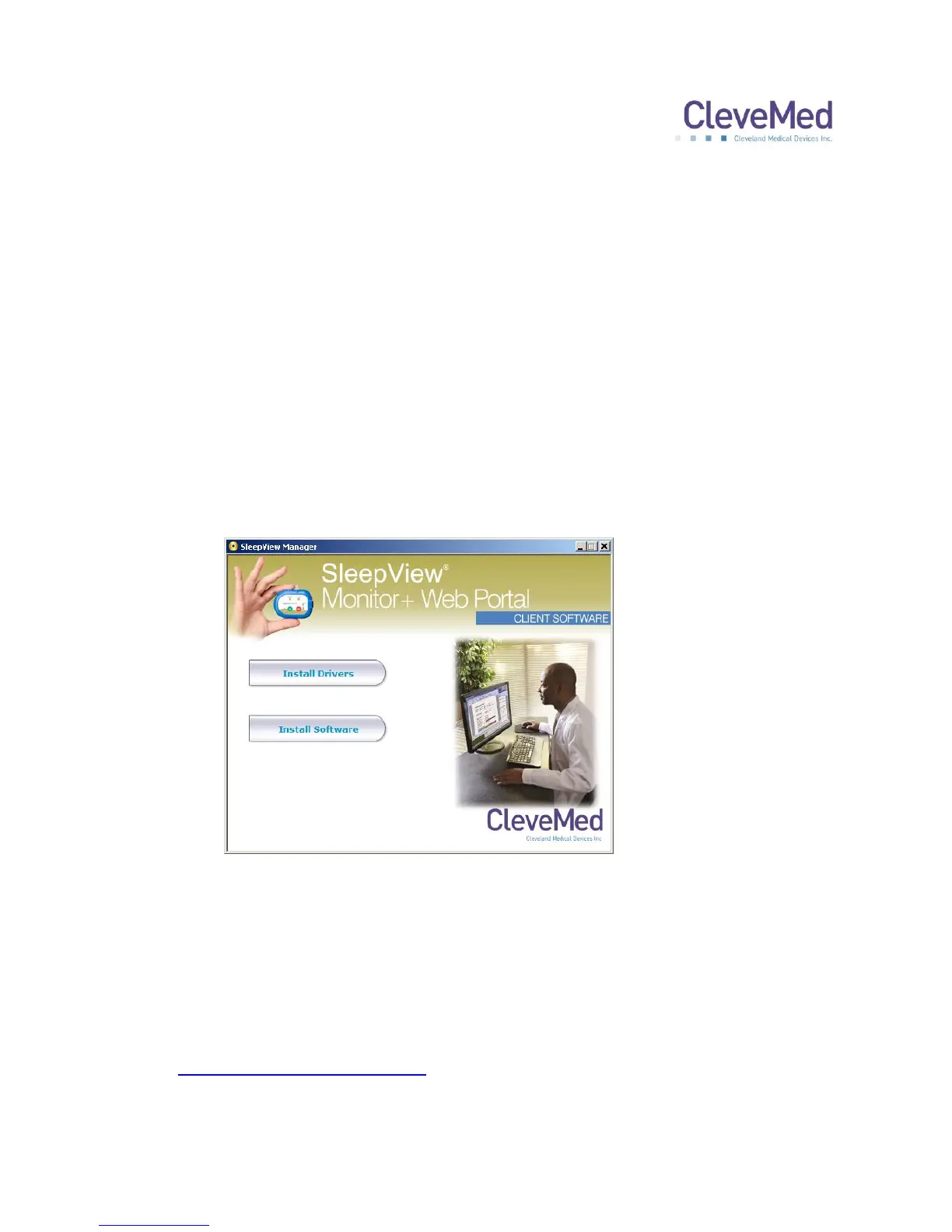
1. Insert the SleepView Manager Installation CD-ROM into your computer’s CD-ROM
drive. It should automatically open the SleepView Manager splash screen as shown
below. If this does not occur, please navigate to the CD-ROM folder and double-click
“SOFTWARE_MENU.EXE”
2. Click “Install Drivers” and follow the on-screen prompts to complete driver
installation.
3. Click “Install Software” and follow on-screen prompts to install the SleepView
Manager Software.
4. Once the software has been installed, you may be prompted to register the system
with www.clevemedsleepview.com.


 To Next Page