SLEEPVIEW USER MANUAL
31
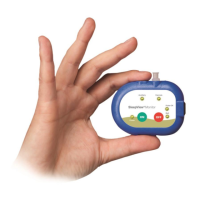
After the boot process the LED indicators will display the status of each sensor. The
LED should be green for all sensors that are supposed to be collecting data for the
study.
Not Connected or
Poor Signal
Auxiliary
(LED remains off if
sensor set to none)
The sensor indicators will remain lit for 90 seconds. Then all but the power LED will turn
OFF. At any time the power button may be depressed to turn ON the indicators for an
additional 60 seconds. During normal recording the power indicator will pulse green.
At the end of the study the patient must press and hold the OFF button to turn the
device OFF manually. Alternatively the device can be programmed to turn OFF
automatically using the SleepView Manager software.
Smart-Check Feature
The SleepView offers a feature for the patient to see if the system collected enough
data that is of good quality (at least 2 hours). Each time the unit is turned OFF, the
status LEDs will show a light moving in a circular pattern to indicate the following:
1. LEDs show green circle pattern to indicate a good quality study was recorded.
2. LEDs show red circle pattern to indicate a good quality study has NOT been
recorded.
Note: for patients that are color blind, please note that the green LEDs indicating a
good quality study rotate in a clockwise direction, while the red LEDs will rotate in a
counter-clockwise direction.
If the patient did not notice or remember the Smart-Check result (e.g. the device was
set to automatically turn OFF), the patient can simply turn the SleepView back ON and
then turn it OFF again to see the Smart-Check result.


 To Next Page