
 To Next Page

J
Jason PowersAug 6, 2025
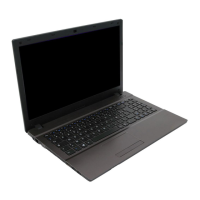
How to turn on Bluetooth on Clevo W540EU after sleep?
- FfergusonnatalieAug 6, 2025
To power on the Bluetooth module on your Clevo Laptop after resuming from Sleep, use the key combination (Fn + F12).

How to turn on Bluetooth on Clevo W540EU after sleep?
To power on the Bluetooth module on your Clevo Laptop after resuming from Sleep, use the key combination (Fn + F12).
 General
| Battery | 6-cell Li-ion |
|---|---|
| Optical Drive | DVD Super Multi |
| LAN | Gigabit Ethernet |
| Webcam | HD Webcam |
| RAM | Up to 16GB DDR3 |
| Storage | 1TB HDD |
| Graphics | NVIDIA GeForce GT 650M |
| Display | 15.6" Full HD (1920x1080) LED-backlit |
| Operating System | Windows 8 |
| Chipset | Intel HM76 |
| Audio | microphone |
| WLAN | 802.11 b/g/n |
| Card Reader | SD card reader |
| Ports | USB 3.0, USB 2.0, HDMI |