Disassembly
2 - 12 Removing the System Memory (RAM)
2.Disassembly
Removing the System Memory (RAM)
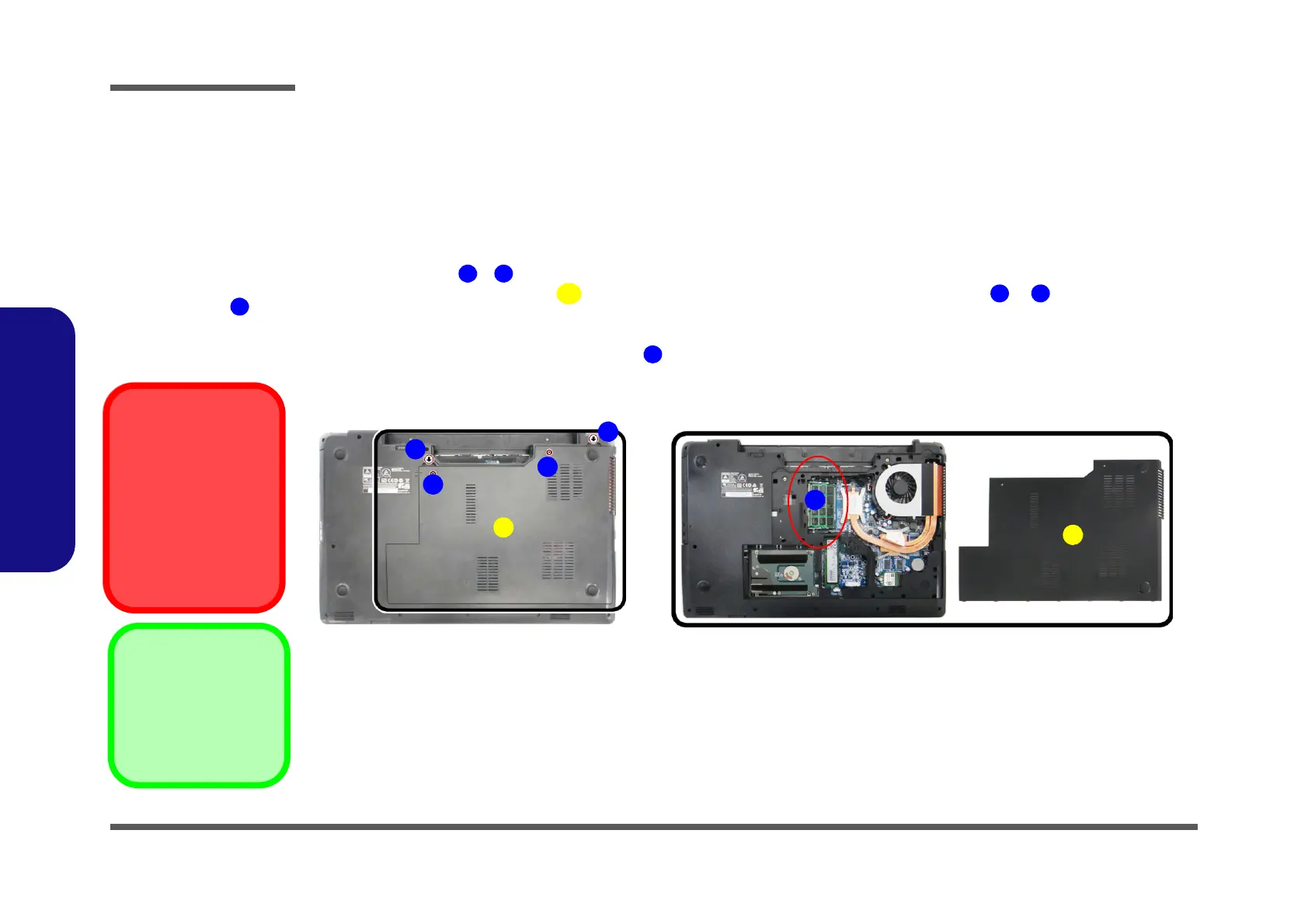
Figure 8
RAM Module
Removal
a. Remove the screws
from the component
bay cover.
b. Remove the compo-
nent bay cover. The
RAM modules will be
visible at point on
the mainboard.
Contact Warning
Be careful not to touch
the metal pins on the
module’s connecting
edge. Even the cleanest
hands have oils which
can attract particles, and
degrade the module’s
performance.
The computer has two memory sockets for 260 pin Small Outline Dual In-line Memory Modules (SO-DIMM) supporting
DDR4 up to 2133 MHz. The main memory can be expanded up to 32GB. The total memory size is automatically detected
by the POST routine once you turn on your computer.
Memory Upgrade Process
3. Component Bay Cov-
er
•2 Screws
1. Turn off the computer, turn it over, and remove the battery (page 2 - 5).
2. Remove screws
- from the component bay cover (Figure 8a).
3. Lift the component bay cover off the computer case by applying pressure at points & ; if you have prob-
lems using a finger to do this, then use a non-abrasive, non-sharp object (e.g. a coin) to lift the cover up before
removal).
4. The RAM modules will be visible at point on the mainboard (Figure 8b
).


 To Next Page