Clickfree Portable Backup Drive for Macintosh: User Guide Advanced topics (HD)
3. Attach your iPod/iPhone to a USB port on your computer.
4. Click Import Music.
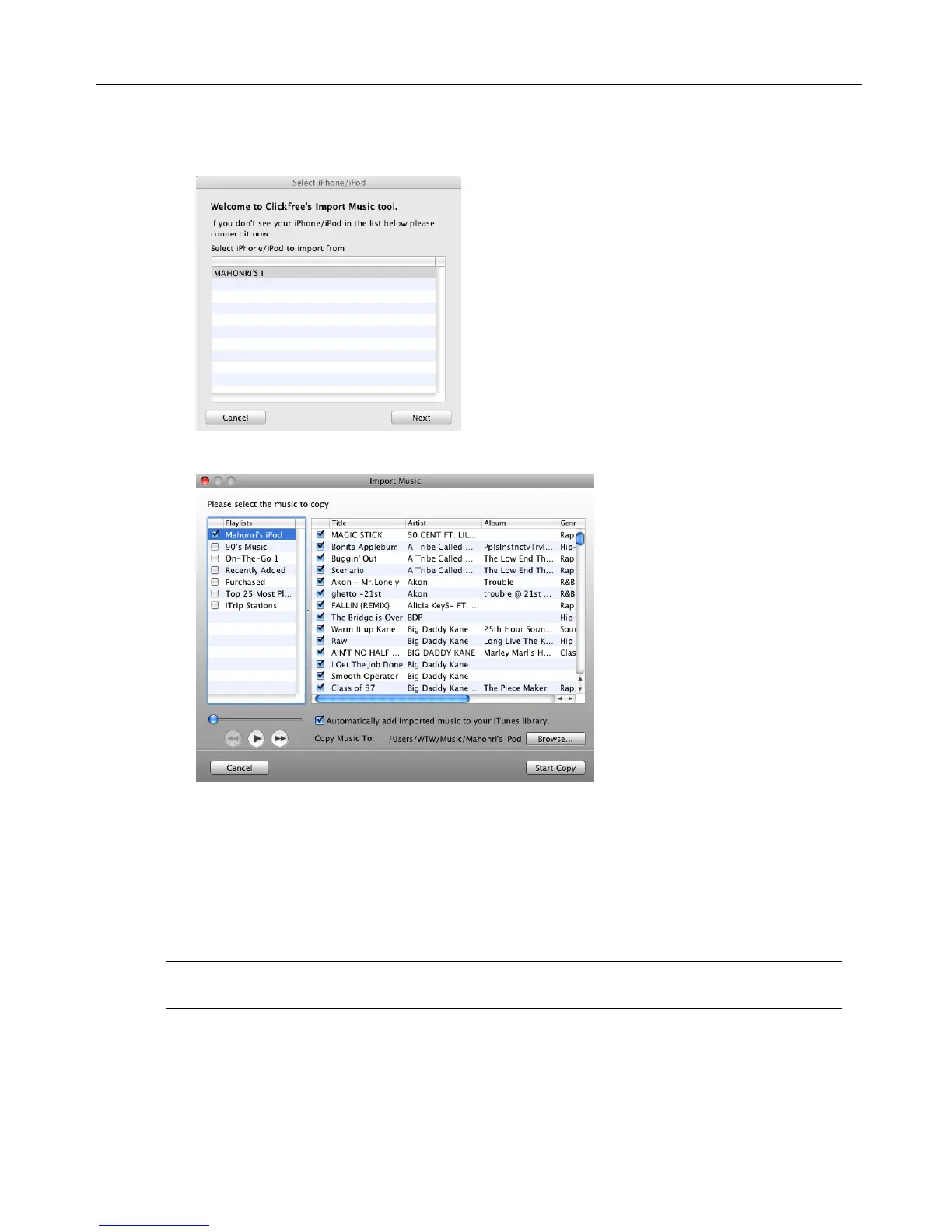
5. Select the iPod/iPhone to import music from, and click Next.
6. Select the music to be copied by checking and unchecking a combination of the
Playlists on the left, and individual Titles on the right, or, to import all of the music
on the iPod/iPhone, ensure that the Import All Music checkbox is checked.
A dash in a playlist‟s checkbox means that some of its titles are selected.
Note that, since a title may be included in more than one playlist, checking or
unchecking any given playlist may result in a change in the selection status of other
playlists.
Note: You can use the controls at the bottom left of the screen to play any title from
your iPod through your computer‟s sound system.



 To Next Page