Clickfree DVD Transformer for Macintosh: User Guide Backing up my content (DVD)
1. If you want to make changes to how backup is done, click Options and see “How do I
change how Clickfree does backups?” on page 52.
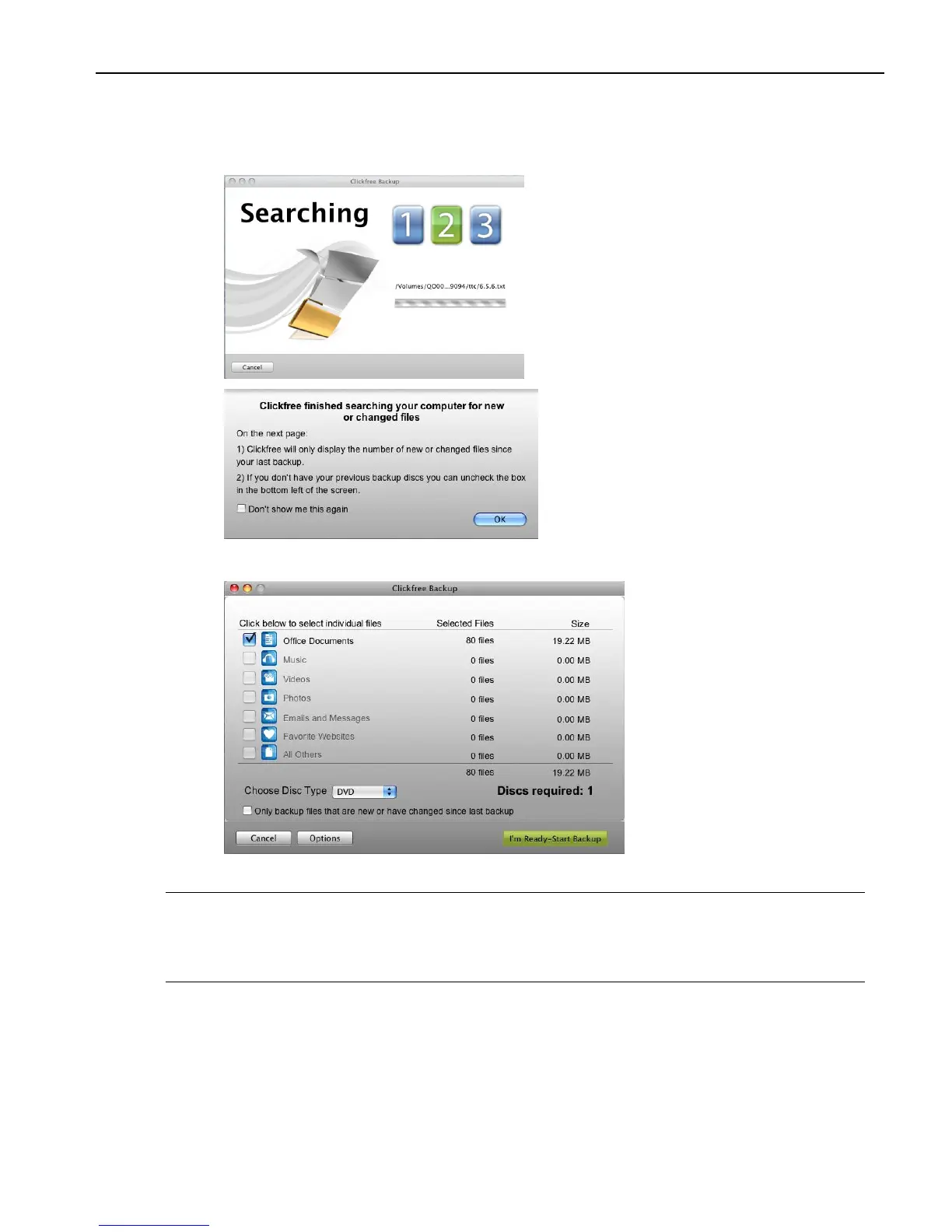
Clickfree displays some windows to show progress:
2. Click OK.
3. Choose whether you are backing up onto CD or DVD.
Note: At this point, Clickfree calculates how many disks are needed to hold all of the
files you want to back up.
If you don‟t have enough disks, click Options to go back to choosing what to back
up, and deselect some files or file categories.
If you previously backed up this computer, you can choose whether to backup only
files that are new or have changed since the last backup.
4. Click I’m Ready-Start Backup.
If needed, Clickfree prompts you when to put recordable media in your CD/DVD
writer.



 To Next Page