HRAT E - HRAT/HRAN
30 English 09/02
ACTIVATING AND DEACTIVATING THE UNIT
SETTING THE SET POINTS
The factory Set Point setting is: cooling 12°C
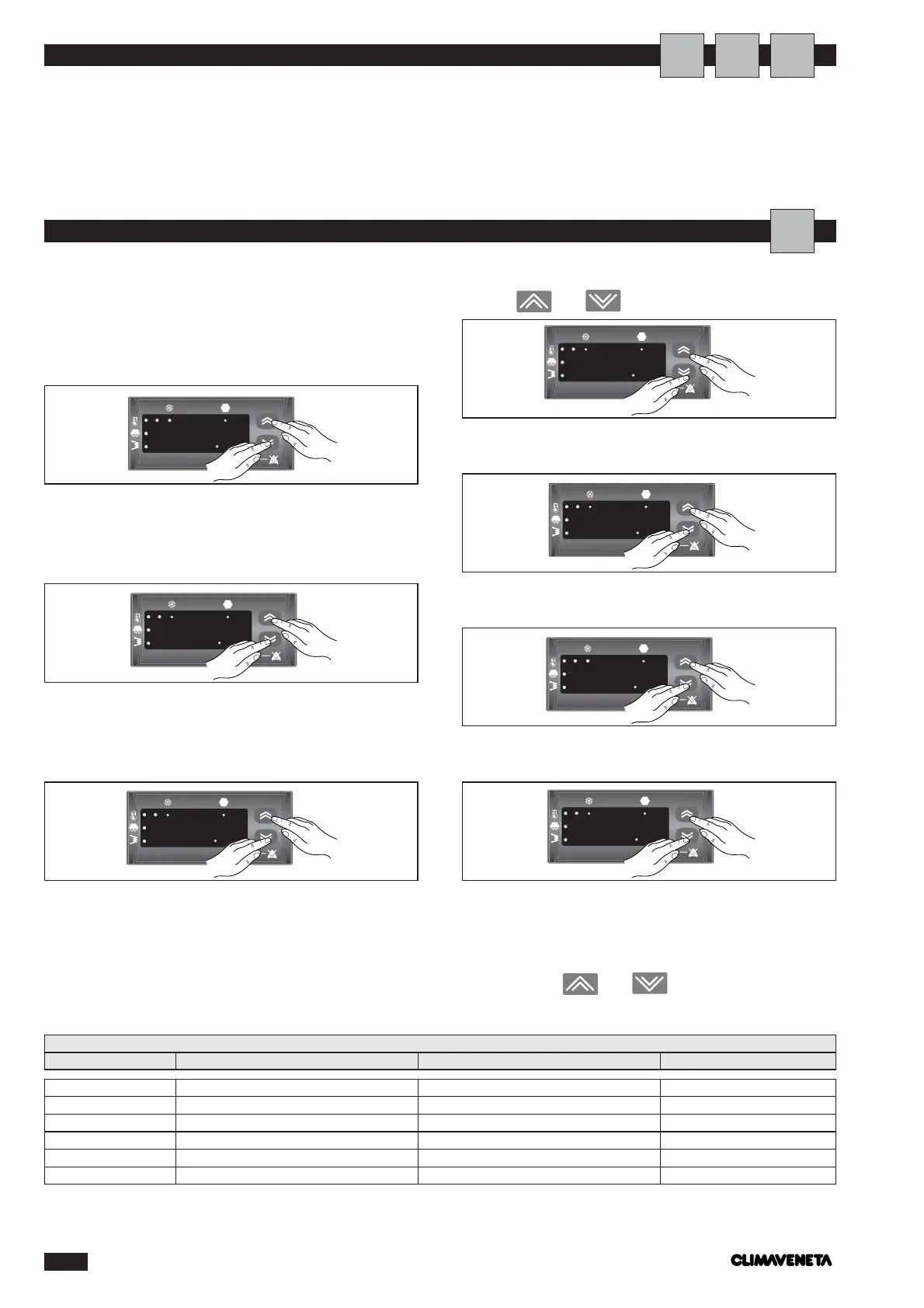
To modify the set points, proceed as follows:
-press the ON/OFF and MODE buttons simultaneously
for 1 second;
the parameter SEt appears on the display;
-press the ON/OFF and MODE buttons simultaneously
for 1 second;
the parameter Coo appears on the display;
-press the ON/OFF and MODE buttons simultaneously
for 1 second:
the value of parameter G01 appears on the display.
Use the and buttons to set the new Set Point;
-press the ON/OFF and MODE buttons simultaneously
for 2 seconds:
-press the ON/OFF and MODE buttons simultaneously
for more than 2 seconds:
-press the ON/OFF and MODE buttons simultaneously
for more than 2 seconds:
The water return temperature is displayed: the settings are
complete. To display the status of the unit, the alarms and
the operating hours, return to the SEt level, and then per-
form the procedure described above, selecting the desired
index using the and buttons.
SETTING SERVICE PARAMETERS
Heating and cooling are activated and deactivated via the
control panel.
To activate and deactivate the unit, see page 29.
A
U
A
I
SEt Set point °C 12
TP Operating status value -
Err Alarm value -
PAr Operating parameter value -
Pss Password value -
OHr Operating hours value -
LIST OF ACCESSIBLE PARAMETERS
Parameter Description Unit of measure Default



 To Previous Page