15
Web Viewer - MAC OSX + Safari
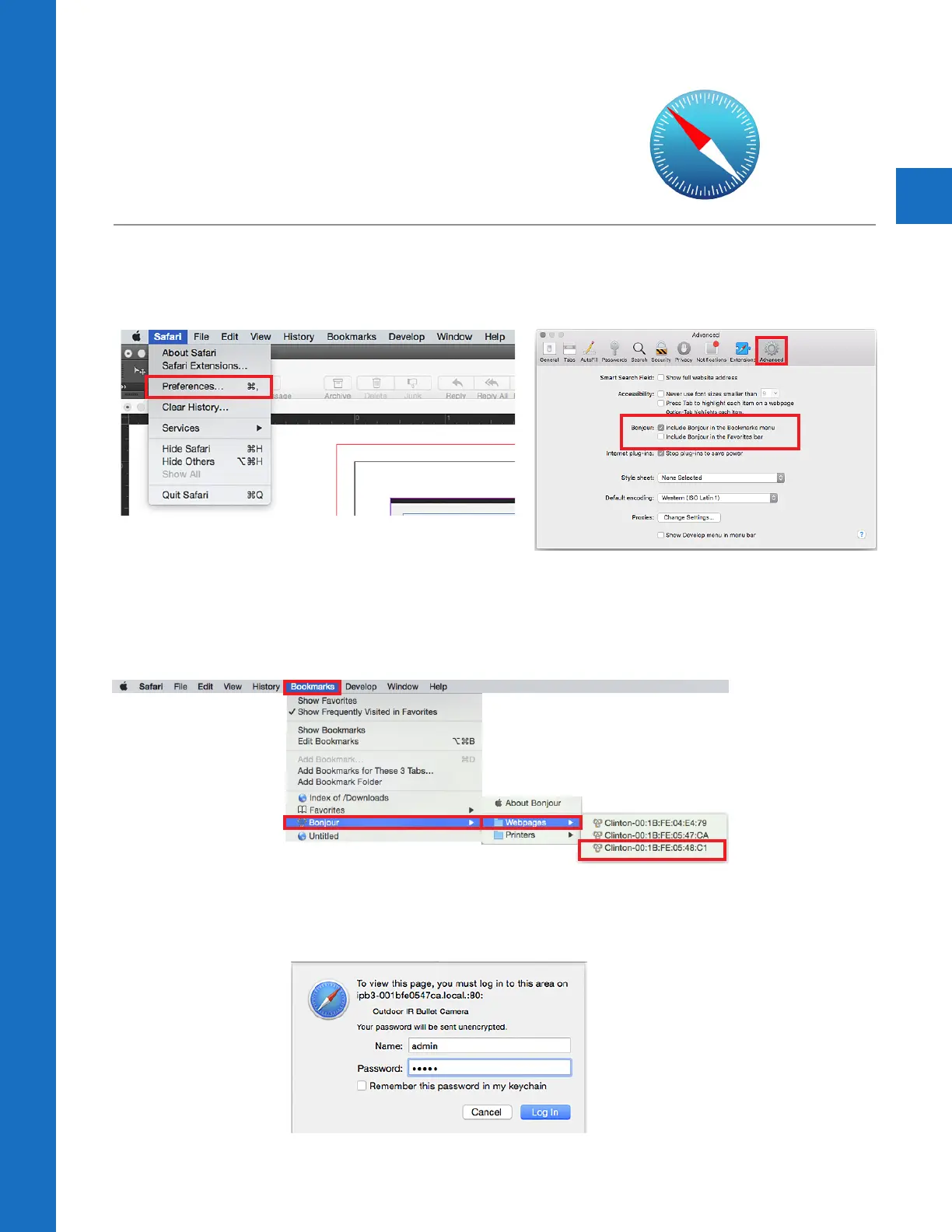
1. Configure Bonjour in Safari
Open the SAFARI browser. For the Web Viewer to function
properly, Bonjour must be configured. The Bonjuor function does
not work in Google Chrome or Firefox.
2. Configure Bonjour
Open Preferences in the Safari Menu bar. Click the “Advanced” tab (gear icon). Click the check box
to “Include Bonjour in the Bookmarks menu”.
Go to Bookmarks. Scroll down to the Bonjour bookmark, then click
on the IP camera you wish to connect to.
Web Viewer - MAC OSX
2. Login
Enter user name and password. (Default is admin / admin)



 To Next Page