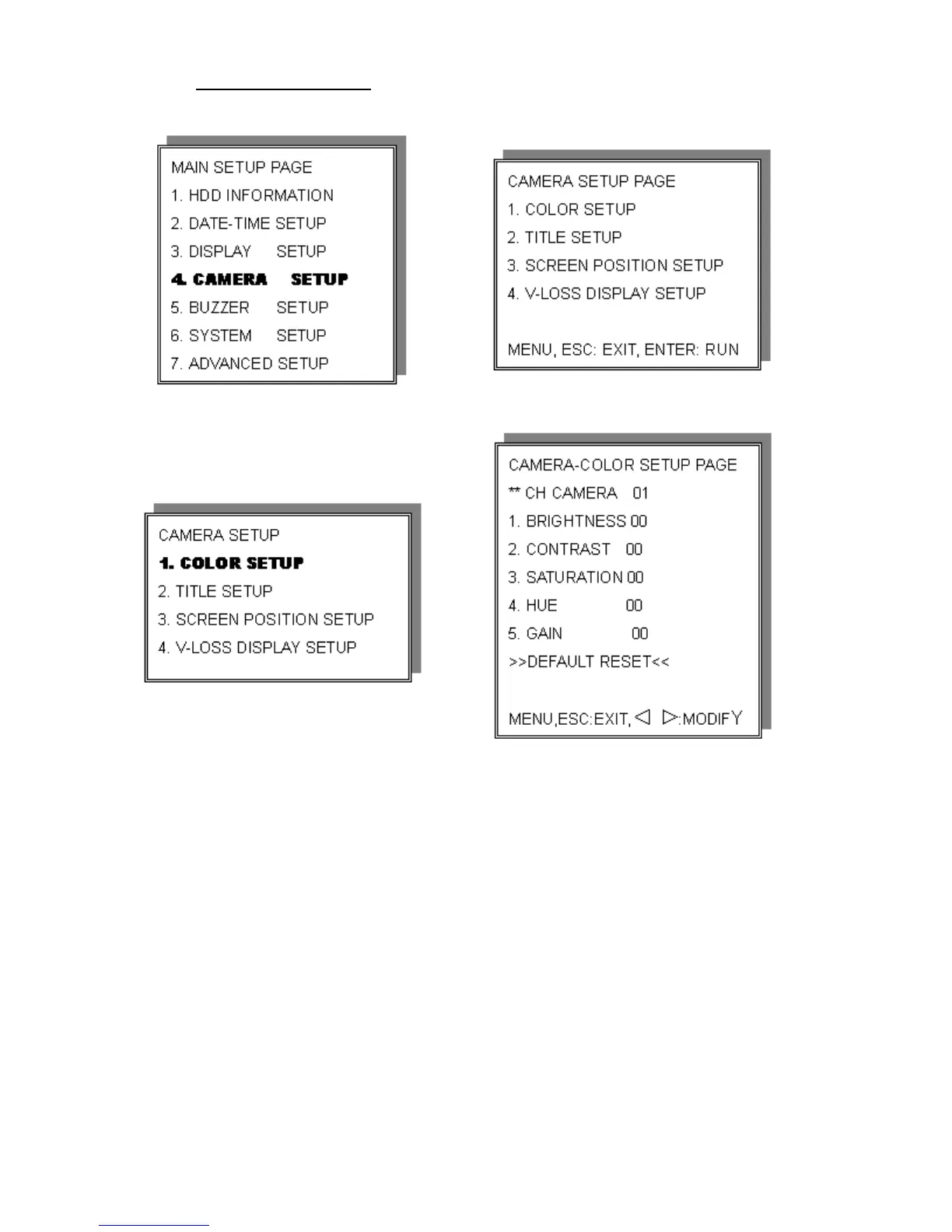
4. Camera Setup
CAMERA-COLOR SETUP: Adjust Camera Image
CH NUMBER: Select camera
BRIGHTNESS: Adjust screen brightness (-31~+32)
CONTRAST: Adjust color contrast (-31~+32)
SATURATION: Adjust color saturation (-31~+32)
HUE: Adjust color hue (-31~+32)
GAIN: Adjust image signal level (-31~+32)
>>DEFAULT RESET<<: Press ENTER button to reset DVR values.
>Right adjustment of each element in COLOR setup will increase picture quality
displayed. We recommend that you adjust each element of COLOR SETUP for
cameras and monitor to be connected to the DVR unit.
19


 To Next Page