Basic Operation
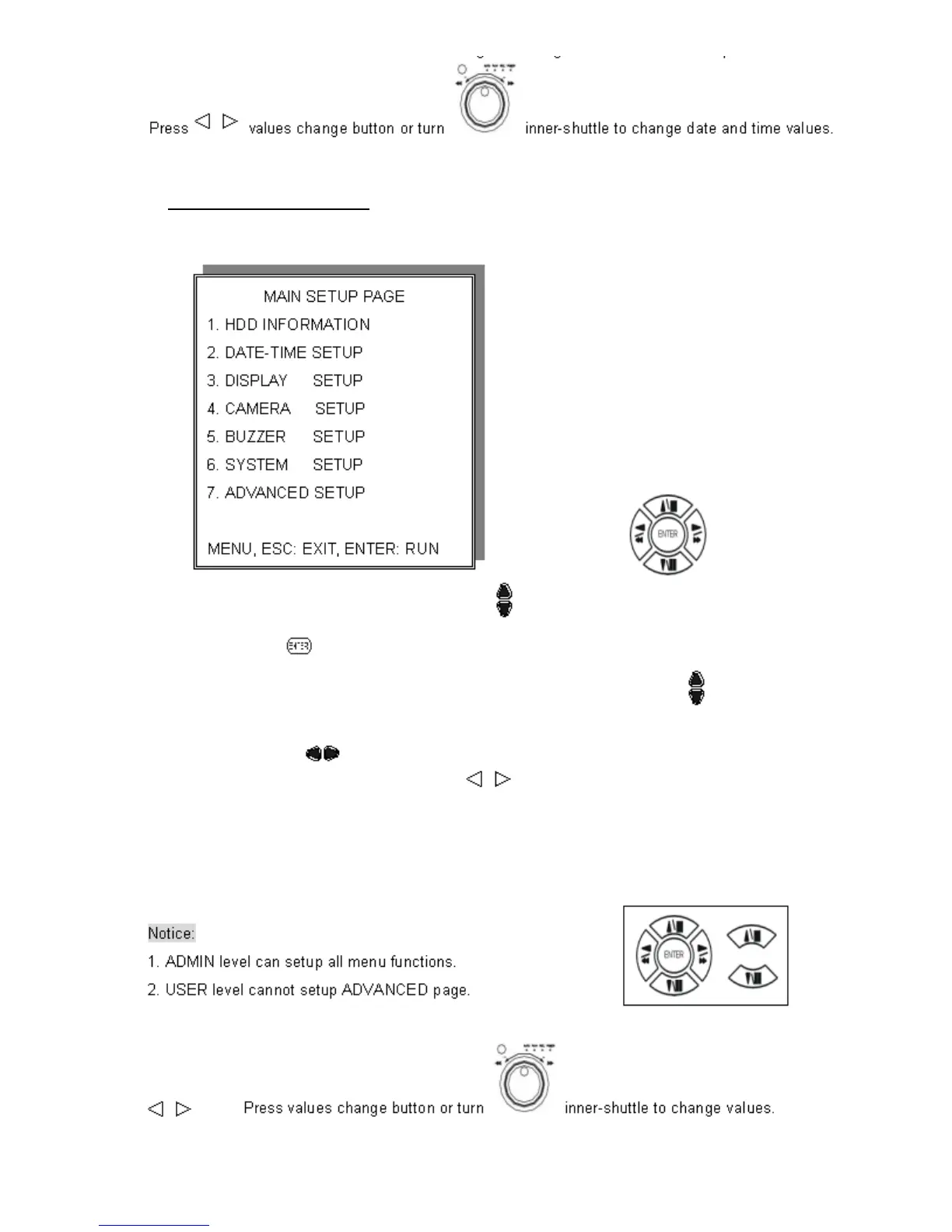
Press MENU button to enter MAIN SETUP PAGE
1. Use direction button up/down
to select setup item.
2. Press
button to enter into sub-menu function.
3. Press sub-menu item with direction button up/down
Or left/right
button.
And change the value with the
values change buttons.
4. Press ESC/LOCK button to go back to Main Menu or Exit.
15


 To Next Page