
 Need help?
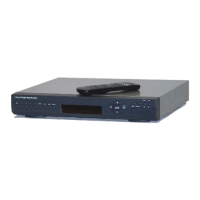
Do you have a question about the Clinton CE-DVR163 and is the answer not in the manual?
Explanation of safety symbols like lightning flash and exclamation point, and various warnings.
Details regarding the product's warranty period and service procedures.
Instructions on reviewing the manual and paying attention to specific notices before operation.
Defines the manual's intent for administrators and users, covering configuration and usage.
Key checks for electrical service, ventilation, and placement before DVR installation.
Description of buttons for selecting channel split screens (4, 9, 13, 16) and full screen views.
Details on the function of control buttons like ENTER, direction buttons, and function buttons.
Information regarding the Shuttle control dial and the IR remote controller.
Identification of various connectors on the rear panel, including BNC, RS232, LAN, and HDD bay.
Details on video inputs/outputs, audio inputs/outputs, and alarm connections.
Information on power input, power switch, RS232, and control keyboard connectors.
Buttons for channel selection, screen modes (quad, full), freeze, zoom, and PIP.
Buttons for playback, time-search, menu access, lock function, and navigation.
Description of the REC button for starting image recording.
Details on RS-232, External HDD, RS-485, COM, Relay, Alarm, and LAN connectors.
Information on camera input/output ports and monitor connections (BNC, S-Video).
Details on the DC 12V/5A power input and the power switch.
General overview of the manual's purpose in guiding the DVR installation process.
Instructions for connecting cameras to the DVR and monitors via composite or S-VHS.
Pin assignments for alarm sensors and relays on the 16-channel DVR model.
Pin assignments for RS 485, alarm sensors, and relays on the 4-channel DVR model.
Definition of how alarm input is recognized by short-circuiting to ALARM SENSOR GND.
Steps to enter the system by pressing MENU and entering the password.
Distinction between ADMIN and USER levels, and their respective setup restrictions.
Options for displaying images in full screen, split screen (4, 9, 13, 16 channels), or quad screen.
Functions for freezing images, zooming in, and activating auto sequence mode.
Using Picture-in-Picture (PIP), Select (SEL), and auto sequence features for different screen modes.
How to lock the control panel and adjust audio channel selection and volume.
Notices on recording during playback, camera connection, and remote view requirements.
Procedure to initiate the playback function by pressing the PLAY button.
Activating time search via T-SRH, navigating the Play Setup Page and event list.
Searching for events like video loss or alarm triggers and navigating the event list.
Sorting events by date, channel, or type, and options for deleting items or pages.
Navigating the time list for recorded images and setting specific playback times.
How to enter the Main Setup Page using the MENU button.
Using direction buttons, ENTER, and ESC/LOCK to navigate and change settings.
Navigating to the HDD INFORMATION item in the setup menu.
Information displayed includes Number, Size, Used, Brand, POS, Type, Status, Start, and End times.
Setting the HOUR TYPE, DATE TYPE, DATE, and TIME parameters.
Adjusting the on-screen position of the date and time display.
Configuring DATE-TIME, CAMERA TITLE, PB DATE-TIME, PB CAMERA TITLE, and DVR STATUS captions.
Choosing the border color for the display from a list of available colors.
Accessing settings for camera color, title, screen position, and video loss display.
Detailed adjustments for Brightness, Contrast, Saturation, Hue, and Gain for camera images.
Inputting custom titles (max 7 characters) for each camera.
Adjusting the screen position of camera feeds using direction buttons and setting defaults.
Enabling or disabling the Video Loss Detection (V-LOSS) function for each camera channel.
Configuring system, button, alarm, motion, and V-loss buzzers to be ON or OFF.
Settings for audio input gain, recording, output channel, volume, and balance.
Setting input gain for channels 1-2 and enabling/disabling audio recording.
Selecting video for audio input, output channel, volume, balance, and playback note.
Settings for dwell interval, lock function, language, RS-485 ID, and protocol.
Configuring alarm function, popup display, buzzer duration, and record duration.
Setup options for alarm sensor relays (RL1, RL2, BOTH) for 16 channels.
Setting the polarity (N.C., N.O., OFF) for alarm inputs.
Enabling motion function and setting detect number, sensitivity, and velocity parameters.
Configuring per-channel motion activation and setting record/relay durations.
Setting detection zones on screen using area masking functions.
Explanation of WALK ON/OFF, BLOCK ON/OFF, and ALL ON/OFF modes for area masking.
Setting relay functions for motion events across different channels.
Settings for HDD full behavior, schedule, motion, alarm, and power-on recording.
Setting the image quality for recordings from SUPER to LOW.
Choosing between 6-minute or 30-minute interval schedules for recording.
Navigating days (SUN-SAT) and times to define recording schedules.
Selecting and clearing specific time areas on the daily schedule grid.
Setting total recording speed (30fps to 2fps) and understanding per-channel speed calculation.
Explanation of 'Always record' (A), 'No record' (X), and 'Priority record' (P) modes.
Illustrations showing frame sequences for different recording modes like 'A' and 'P'.
Setting IP Address, Gateway, Subnet Mask, and MAC Address for network connectivity.
Guidelines for setting up local IP addresses, avoiding conflicts, and ensuring subnet mask consistency.
Configuring WAN settings and installing the remote viewer software on a client PC.
Setting user levels (NONE, ADMIN, USER) and configuring passwords, including defaults.
A caution about data destruction and the procedure to format the HDD.
Checking the system and reading HDD information.
Clearing all settings and restoring the unit to factory default configuration.
General description, purpose, and requirement to install the Remote Viewer software.
Description of buttons in the live-view window: Power, Connect, Disconnect, Screen Division, Channel Number, Status.
Setting IP address, port, circular monitoring interval, and scan rate.
Using Scan button for search, Rotate for live view rotation, and other display options.
Choosing the hard disk path where recorded files will be saved.
Accessing the search window and using controls to find recorded pictures.
Using search operation buttons for playback control and understanding the playback speed table.
Using command buttons (Save, Print, Event, Record) and the Calendar for searching.
Notices on button timing, connection failures, software compatibility, live view, and network access.
Details on system interface, input/output, resolution, S/N ratio, and color.
Features like split screen, zoom, screen quality, and recording modes.
Information on alarm, RS485, WEB interface, storage, power supply, and audio/VGA outputs.
Specifications for operation temperature and humidity.
Information on the built-in IR Remote Controller, shuttle input, and external interfaces.
Details on weight, hard disk units, mobile rack, and power consumption.
Details on input/output, resolution, S/N ratio, color, and system interface.
Features like split screen, zoom, PIP, sequence, screen quality, and recording modes.
Information on motion detect, WEB interface, alarm, RS485, storage, and power supply.
Specifications for dimension, weight, operation temperature, and humidity.
 General
| Hard Drive Support | 1 SATA HDD |
|---|---|
| Video Compression | H.264 |
| Remote Viewing | Yes |
| Channels | 16 |
| Video Input | 16 channels |
| Audio Output | 1 channel |
| Hard Drive Capacity | Up to 4TB |
| Mobile App Support | Yes |
| HDMI Output | Yes |
| VGA Output | Yes |
| Network Interface | RJ45 |
| USB Interface | 2 |

 To Next Page