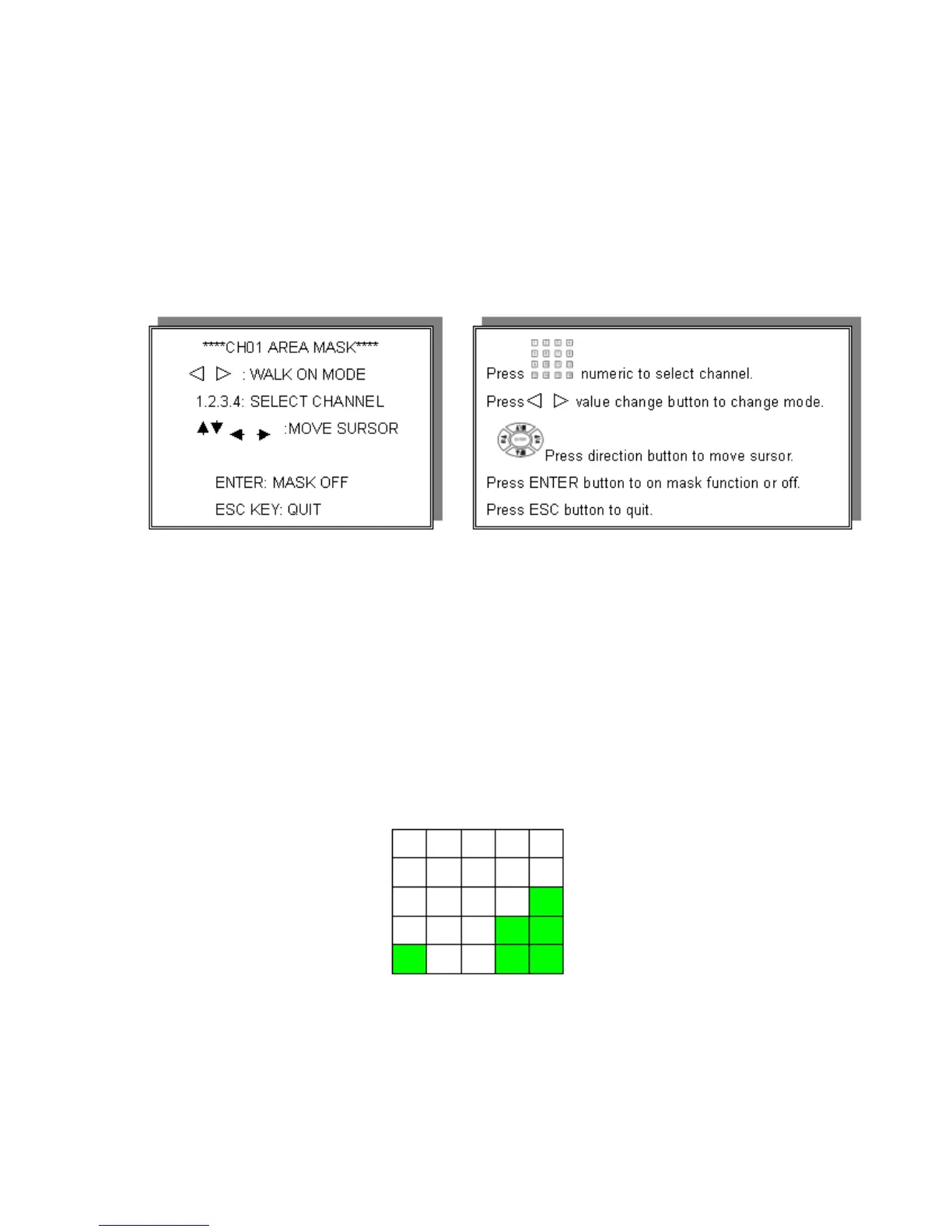
>MOTION AREA SETUP<
FACTORY DEFAULT is all sections set to ON (GREEN)
**If application requires all sections set to ON, there are no changes to this menu
required.
If changes are required then press ENTER to turn MASK ON.
WALK ON MODE: Select single sections by moving pink cursor.
WALK OFF MODE: Clear single sections by moving blue cursor.
BLOCK ON MODE: Select blocks by moving cursor horizontally than vertically.
BLOCK OFF MODE: Clear blocks by moving cursor horizontally than vertically.
ALL ON MODE: Select all area mode ON. (SELECT)
NOTE: FACTORY DEFAULT
ALL OFF MODE: Select all area mode. OFF (CLEAR)
1 Section 1 Block
Adjacent Sections=1 Block
28


 To Next Page