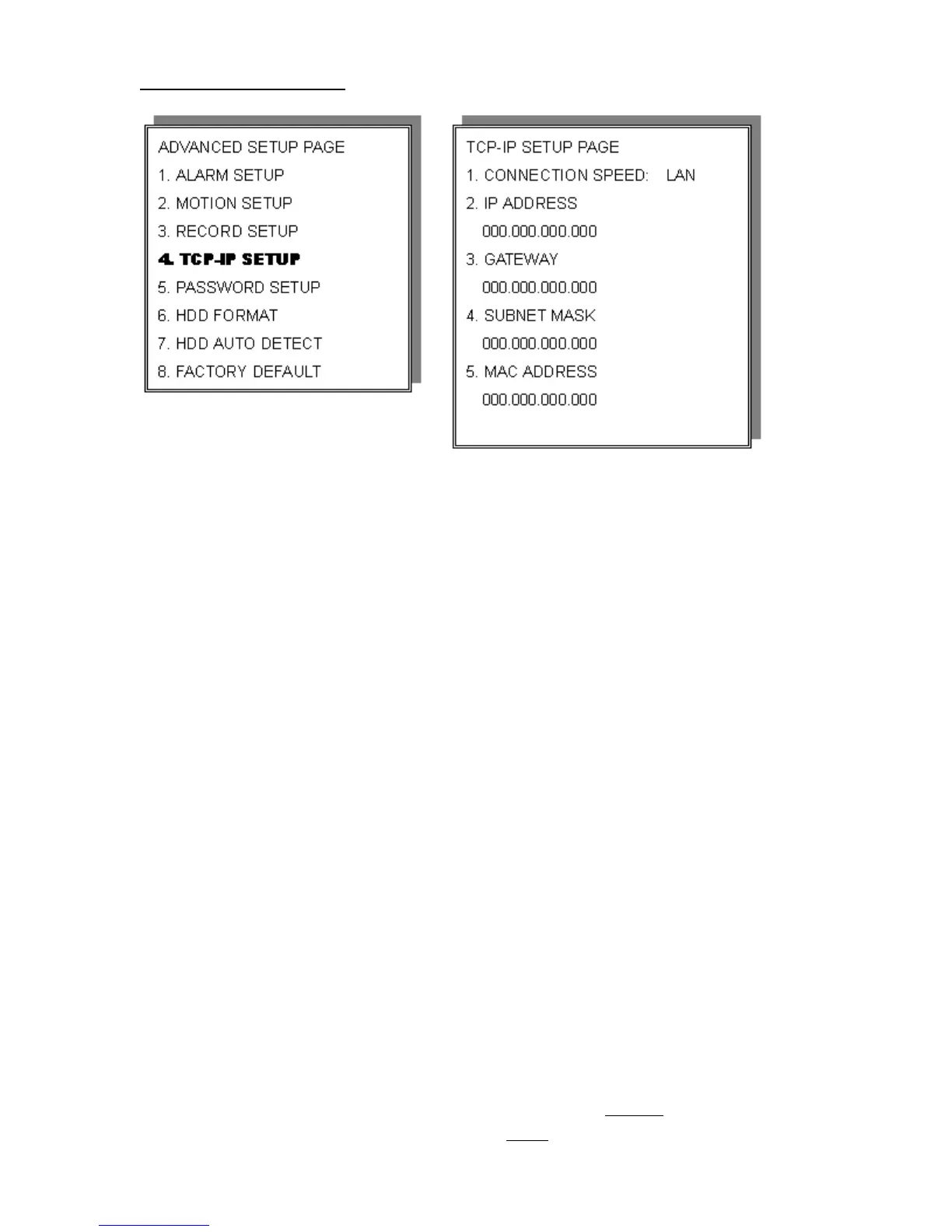
TCP-IP SET UP
>TCP-IP SETUP
CONNECTION SPEED: LAN / 512K / 64K
IP ADDRESS
192.168.192.250 0080 (Factory Default)
GATEWAY
192.168.192.001 (Factory Default)
SUBNET MASK
255.255.255.000 (Factory Default)
MAC ADDRESS
XXXXXXXXXXXXX. Machine number, user cannot change.
>Network Requirement:
LAN (Local Area Network)
1) Enter DVR local IP address such as 192.168.0.5, or use the factory default.
2) After setting DVR network setting, install the remote viewer software to
computer. Computer network IP also needs to be set on local IP address such
as 192.168.0.6. DVR and computer IP address cannot
be the same. Subnet
mask, between DVR and computer must
be the same.
35


 To Next Page