28 WSH-XEE2 10.2-120.2 M08P40G16-00
7.4 Change unit state
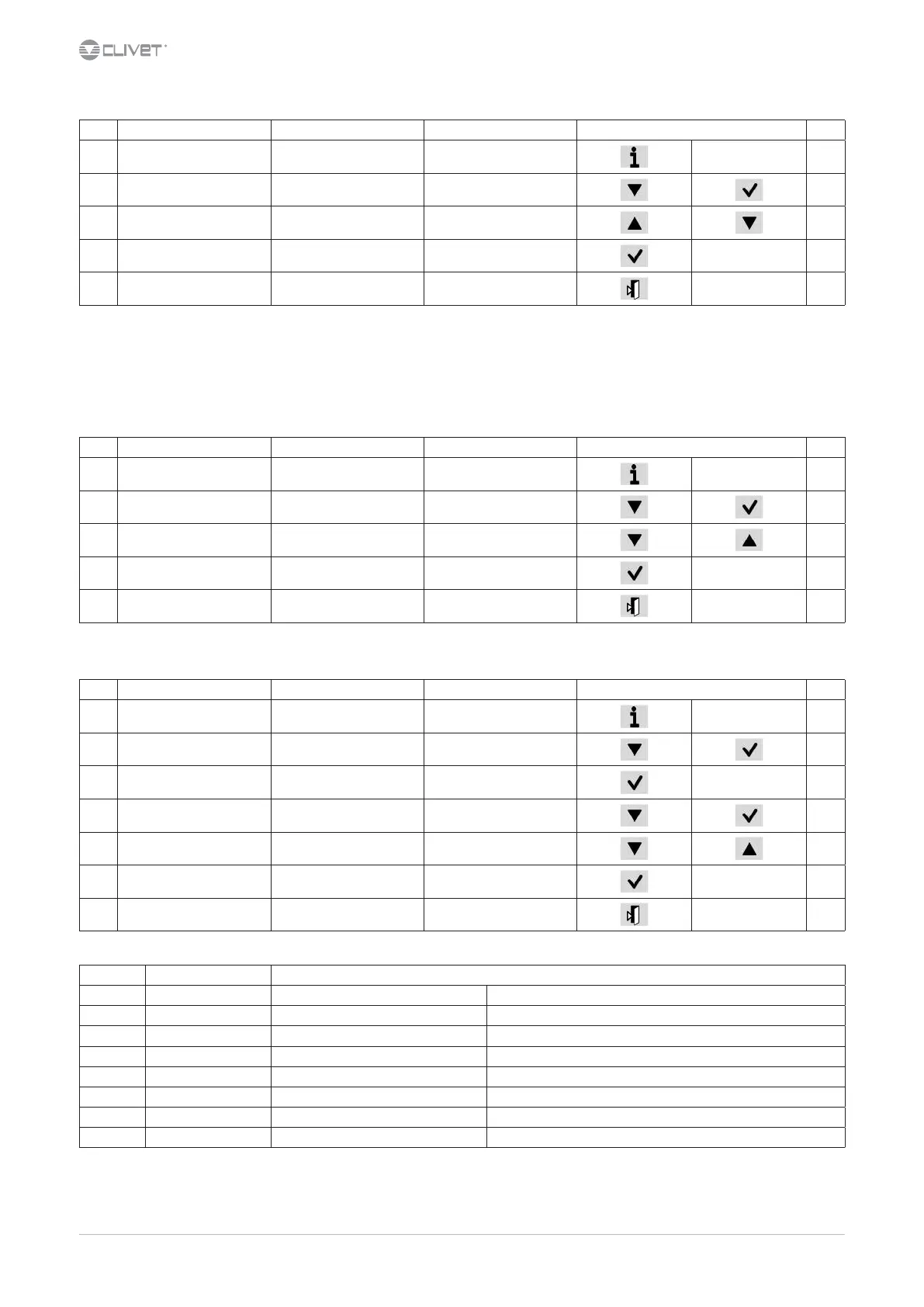
Step Display Action Menu/Variable Keys Notes
1 Press
2 Main menu Select Cmd Local state
3 Set OFF - ECO - ON - Pump On *
4 Conrm
6 Exit
* Local state
ECO: recurrent pump ON-OFF; compressors keep water system at setpoint ECO
Pmp ON: pump ON, compressor OFF
7.5 Change the mode
Step Display Action Menu/Variable Keys Notes
1 Press
2 Main menu Select Cmd Local mode
3Set
Cool: water cooling
Heat: HEATING
4 Conrm
5 Exit
7.6 Modify setpoint
Step Display Action Menu/Variable Keys Notes
1 Press
2 Main menu Select Unit parameters
3 Unit parameters Conrm Set Point
4 Select Set Point
5 Set Set Point
6 Conrm
7 Exit
Parameters Short description Description
P0583 SetPointCooling Setpoint Cool
P0584 2SetPointCooling 2° Setpoint Cool Enable by remote switch
P0855 SetPointECOCooling Economic summer SetPoint
P0577 SetPointHeating Setpoint Heat
P0578 2SetPointHeating 2° Setpoint Heat
P0579 SetPointECOHeating Economic winter SetPoint
P0640 SetPointRecover Recovery Set Point
P0580 ACSSetPoint domestic hot water set point



 To Next Page