M08P40G16-00 WSH-XEE2 10.2-120.2 33
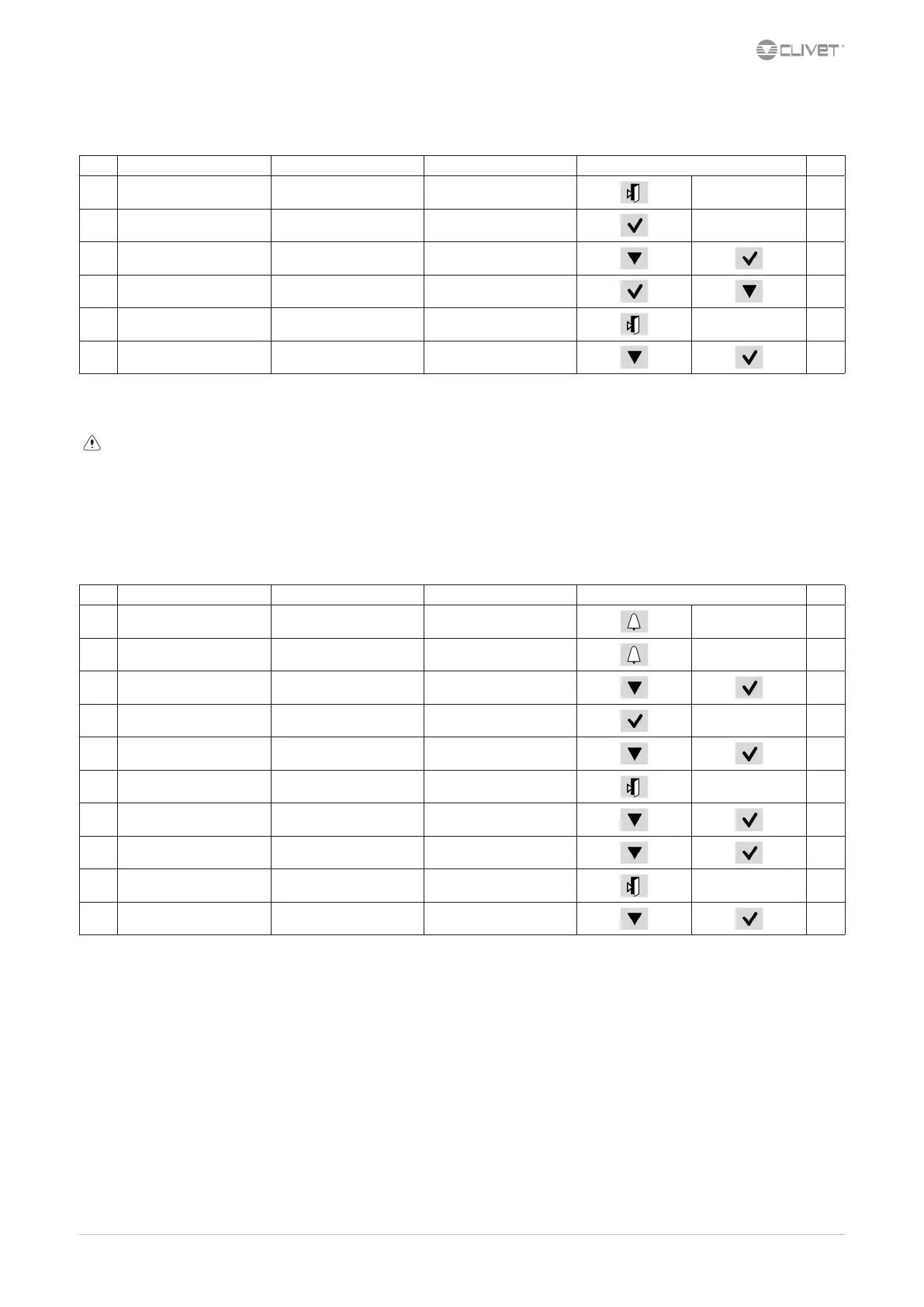
7.9 Keyboard settings
Step Display Action Menu/Variable Keys Notes
1 Press 3 sec.
2 Press
3 HMI Settings Select
4 Press
5 Press
6 Select Local connections
7.10 Alarms
Before resetting an alarm identify and remove its cause.
Repeated resets can cause irreversible damage.
Example:
+ eE0001: Phase monitor: Fault = active alarm
- EE0003: Pum 1 faulty: Ok = resetted alarm
Display of alarm: step 1-3
Reset allarm: step 4-10
Step Display Action Menu/Variable Keys Notes
1 Press
2 Alarm list detail Press
3 Alarm list Select Alarm
4 Alarm list detail Press 3 sec.
5 Password Set Enter password
6 Alarm list detail Press
7 Alarm list Select Alarm
8 Select
Reset
Executed
9 Press 3 sec.
10 Password management Select Log o
For details see:
General list of alarms



 To Next Page