ClonerAlliance ViewLite AV User Manual
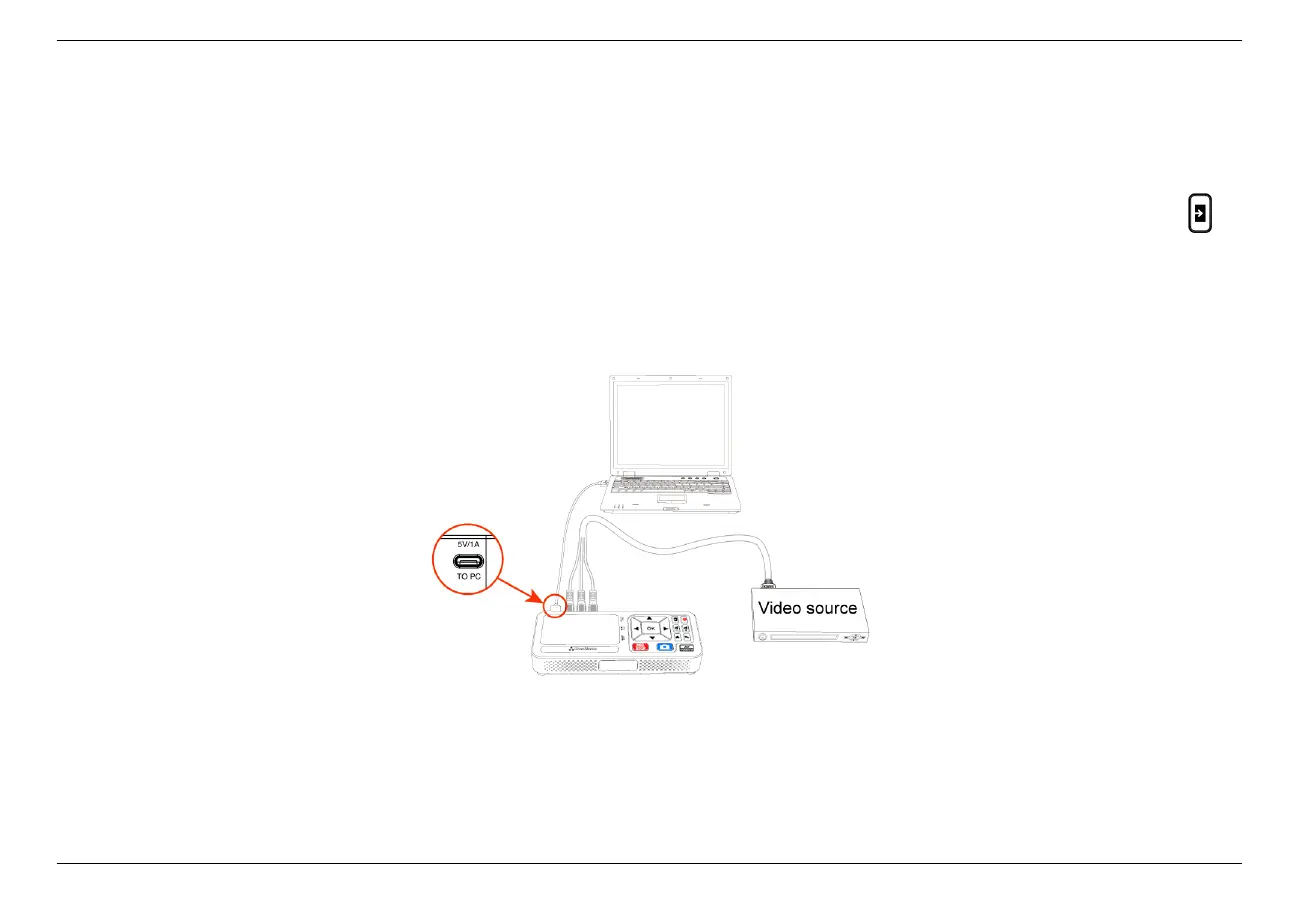
5.3 Connect ClonerAlliance ViewLite AV to PC.
1. Connect the video player to the CVBS/S-Video port on ClonerAlliance ViewLite AV. After connections, please press on
ViewLite AV device to select the correct input signal.
2. Connect the USB-A to type C cable between the ”To PC” port of ClonerAlliance ViewLite AV and the USB port of PC.
After all devices have been connected properly, please power on all connected devices. The Windows operating system will prompt
“Found a new hardware”and install the driver automatically. Please make sure ClonerAlliance ViewLite AV is connected successfully
and“Audio/Video streaming”appears in the Device Manager (Right-click My Computer – Manage – System Tools – Device Manager).
5.3. Connect ClonerAlliance ViewLite AV to PC. 33



 To Next Page