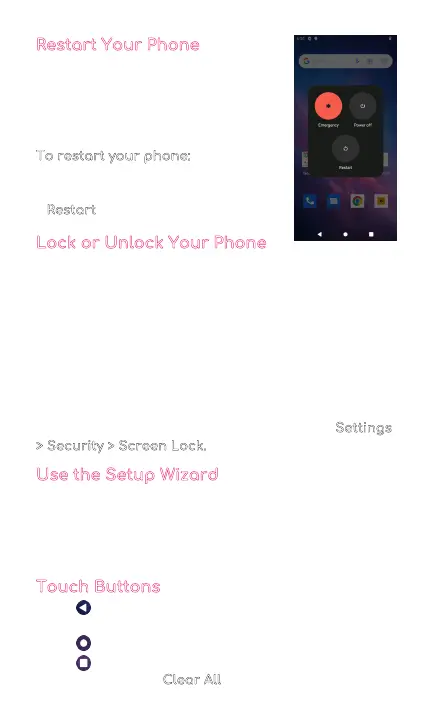
Restart Your Phone
If your device stops responding to
taps or finger gestures and you’re
unable to turn it off, you can restart
your phone.
To restart your phone:
• Press and hold the Power button on
the right side of your phone and tap
Restart
when prompted.
Lock or Unlock Your Phone
Use your phone's screen lock features to keep your
phone secure. By default, your phone locks automatical-
ly when the screen times out.
To lock your phone, press the Power button.
To unlock your phone, press the Power button.
If you set a password, it will prompt you to enter your
password.
To set a screen lock, you can use a screen lock function
such as swipe, pattern, PIN, or password. Go to Settings
> Security > Screen Lock.
Use the Setup Wizard
The first time you turn your phone on, the setup wizard
guides you through how to set up your phone.
Follow the prompts to choose a default language,
connect to a Wi-Fi network, set up accounts, and more.
Touch Buttons
• The button moves back one step to the previous
menu/page.
• The button returns immediately to the main screen.
• The button displays a menu of recently opened
apps. You can also Clear All
in this view.
4



 To Next Page