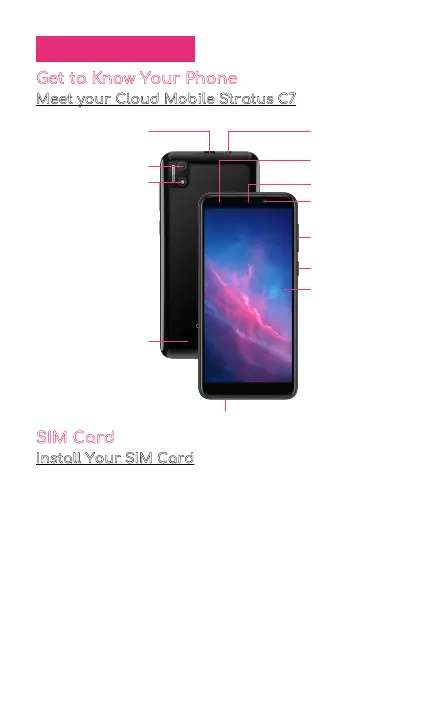
Earphone Jack
Charging Port
(Type-C Connector)
Light Distance
Sensor
Receiver
Front Camera
Touchscreen
Microphone
Volume Button
Power Button
Rear Camera
Speaker
LED Flash
Getting Started
Get to Know Your Phone
Meet your Cloud Mobile Stratus C7
SIM Card
install Your SIM Card
Your device uses a Nano SIM card. A SIM card may be
pre-installed or you may be able to use your previous
SIM card.
Your SIM card is provided by your carrier. For some
devices, the SIM card is pre-installed in your phone.
1. Place phone screen side down. Make sure it is on a
soft and dry surface.
2. Locate the cut-out slot at the bottom left corner of
phone.
3. Insert your fingernail into the cut-out slot to remove
the back cover of phone.
1



 To Next Page