8
EN
4. Remove the device and store it until the next day. Please see the
Device Care and Storage section on page 10 for instructions on the
proper storage of the device.
Display Screen
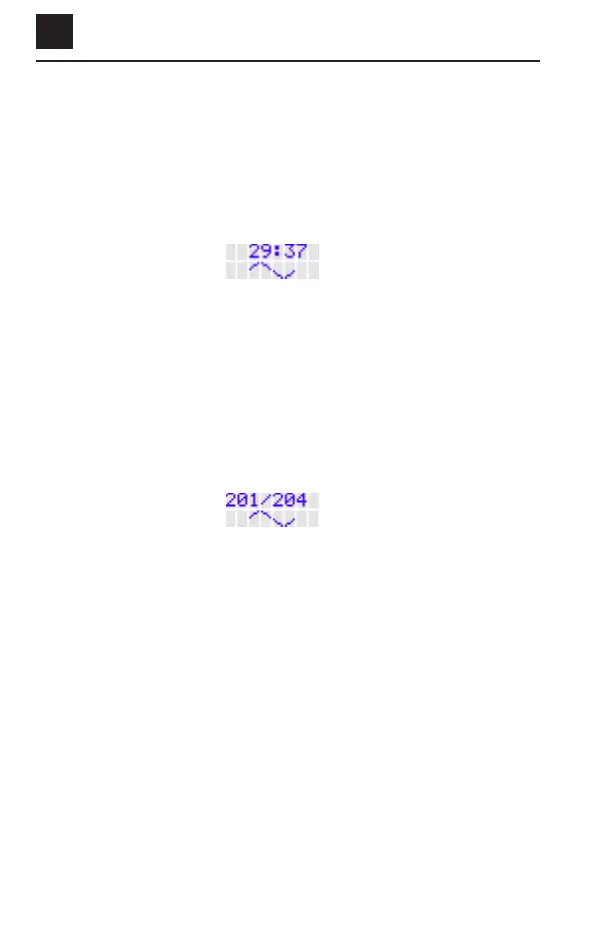
When using the device, the LCD screen will show the time remaining for
your daily treatment. The screen may look like this:
In this example, there are 29 minutes and 37 seconds remaining in the
30-minute treatment.
Checking the Treatment Record
You may check your treatment record at any time, except during your
daily 30-minute treatment.
To view the treatment record, press the “push button” and then let go
before it beeps. The LCD screen will look like this:
The number in the upper left-hand corner is the number of days you
have successfully treated. The number in the upper right-hand corner is
the number of days since you first used the device.
In this example, it has been 204 days since the device was first used, and
201 treatments have been successfully completed.
If the daily treatment has already been completed for that day, and the
“push button” is pressed, the treatment record will be shown followed by
the “treatment complete” icon. This is a reminder that your daily
treatment has already been completed for that day.


 To Next Page