www.cmi-tech.com EF-45N User Manual, v0.1.1
Copyright 2016, all rights reserved July 2016
On-board Demonstration Application
The on-board demonstration application shows the full capabilities of the EF-45N for
image capture including subject positioning with the face display user interface,
enrollment, and on-board matching (authentication).
The system boots up in this demo application. It is initated by the video based motion
detector that first finds the subject from about 1 meter distance, and then continues the
natural iris image capture sequence for capture in recognition / authentication mode.
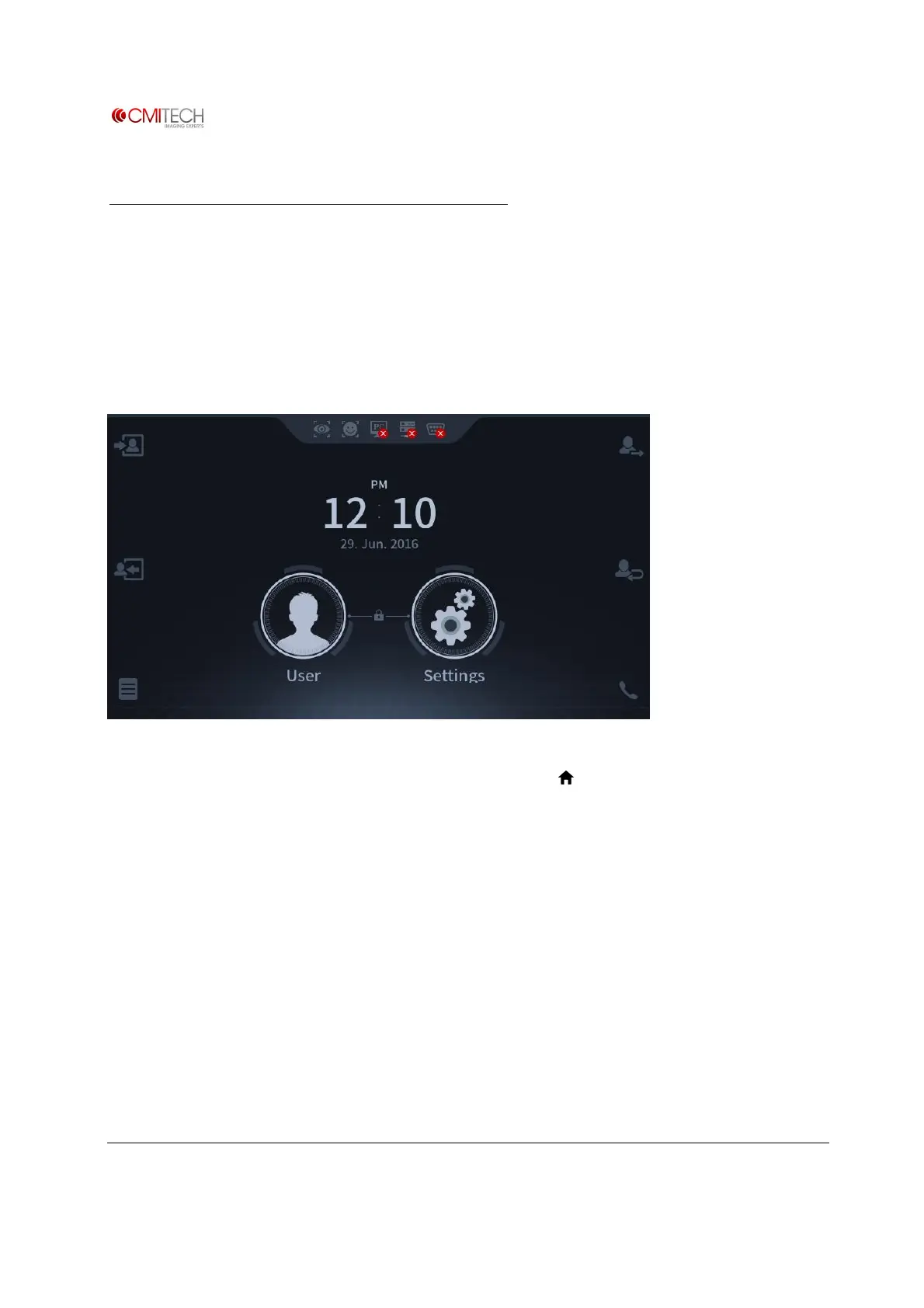
To switch to enrollment mode, press large User icon in center of main Launcher page. If
the system is in image capture mode, press Home icon ( ) on top left of active user
interface display, which will stop Recognition mode and return system to Launcher page.


 To Next Page