11
Edition 2.0 2010/06
information:
a. Automatic ON-OFF: Inverter starts up automatically when DC-power from the PV
panel is sufficient. Once the PV-Inverter starts it enters one of the following 3 states:
Standby: The PV string can only provide just enough voltage to minimum
requirements of the controller.
Waiting: When the PV string DC voltage is greater than 100V, Inverter enters a
“waiting” state and attempts to connect to the grid.
Normal operation: When PV string DC voltage is greater than 150V, Inverter
operates in the normal state.
b. Starting-up display sequence: Once the PV power is sufficient, Inverter displays
information as shown in the flow chart as follow:
“User: xxxx”→ “Spec:xxxx” → “Model:x.xkW” → “SW Version :xx.xx” →
“Checking xxS” → “Normal State” → “Pac= xxx.x W”.
c. LCD backlight control: To save power, the LCD display’s backlight automatically
turns off after 30 seconds.
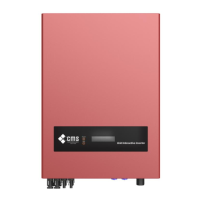
LCD display


 To Next Page