8
Edition 2.0 2010/06
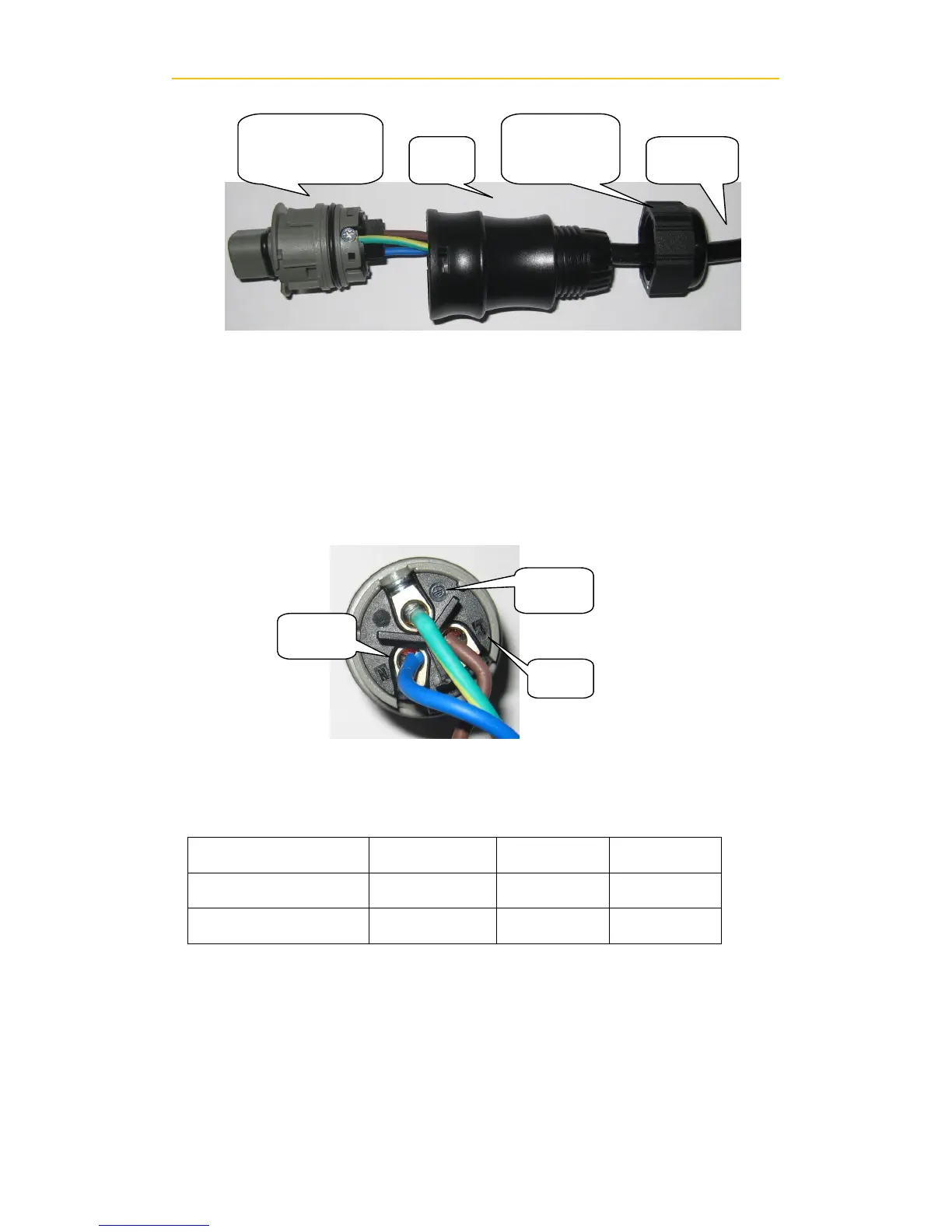
Insert utility wires through cable gland. Connect wires according to polarities
indicated on terminal block. L→LINE (brown or black), N→Neutral (blue)
and G →system ground (yellow-green).
Fasten the gland plate with attached screws.
Twist the gland so that the cable is firmly fixed.
Refer to left figure.
Insert Line wire to Pin L, Neutral wire to Pin N and Ground wire to Pin G.
Suggested cable width for AC wire
4) Connect to PV Panel (DC input)
A. Make sure the maximum open circuit voltage (Voc) of each PV string is less than
550VDC UNDER ANY CONDITION.


 To Next Page