C32 (Rev. 5) User Manual
___________________________________________________________________________
User’s Manual Page 19
Note: This wiring is just to illustrate a sample product application. Specific wiring may
vary from system to system. It is the user’s responsibility to implement it correctly.
For More Information
http://www.cnc4pc.com/Store/osc/product_info.php?products_id=255
10.0 CONNECTING A PENDANT
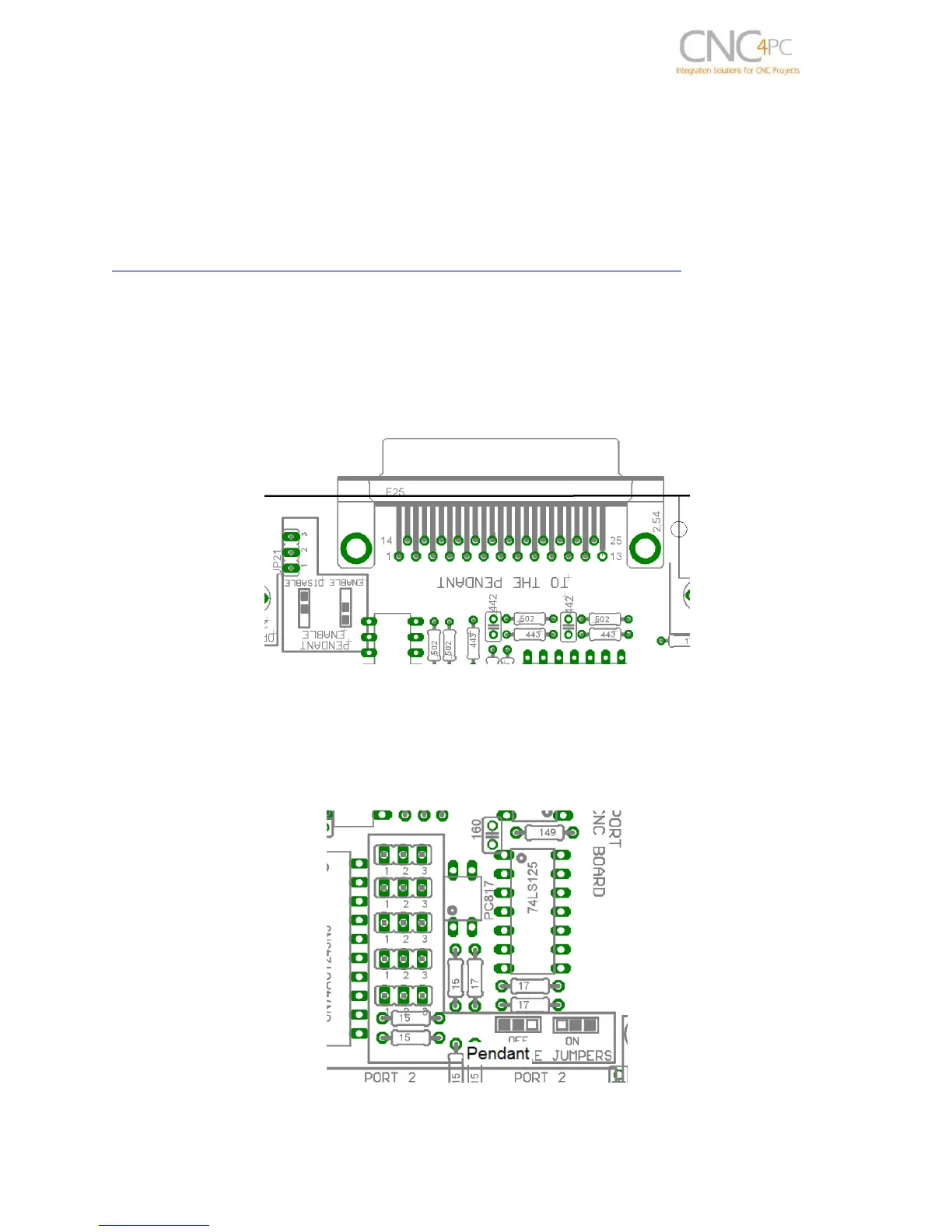
Set the pendant enable jumper in ENABLE position if a pendant is connected to the
DB25 connector.
Pins 2_10, 2_11, 2_12, 2_13 and 2_15 are able to be used with the pendant (DB25
connector) or as general use input pin (RJ45 connector). Set the Pendant ON/OFF
selection jumper in ON position if a pendant is connected to the DB25 connector.
Otherwise set jumpers in OFF position.
Fig. 9 Pendant ON/OFF selection jumper



 To Next Page