C32 (Rev. 5) User Manual
___________________________________________________________________________
User’s Manual Page 5
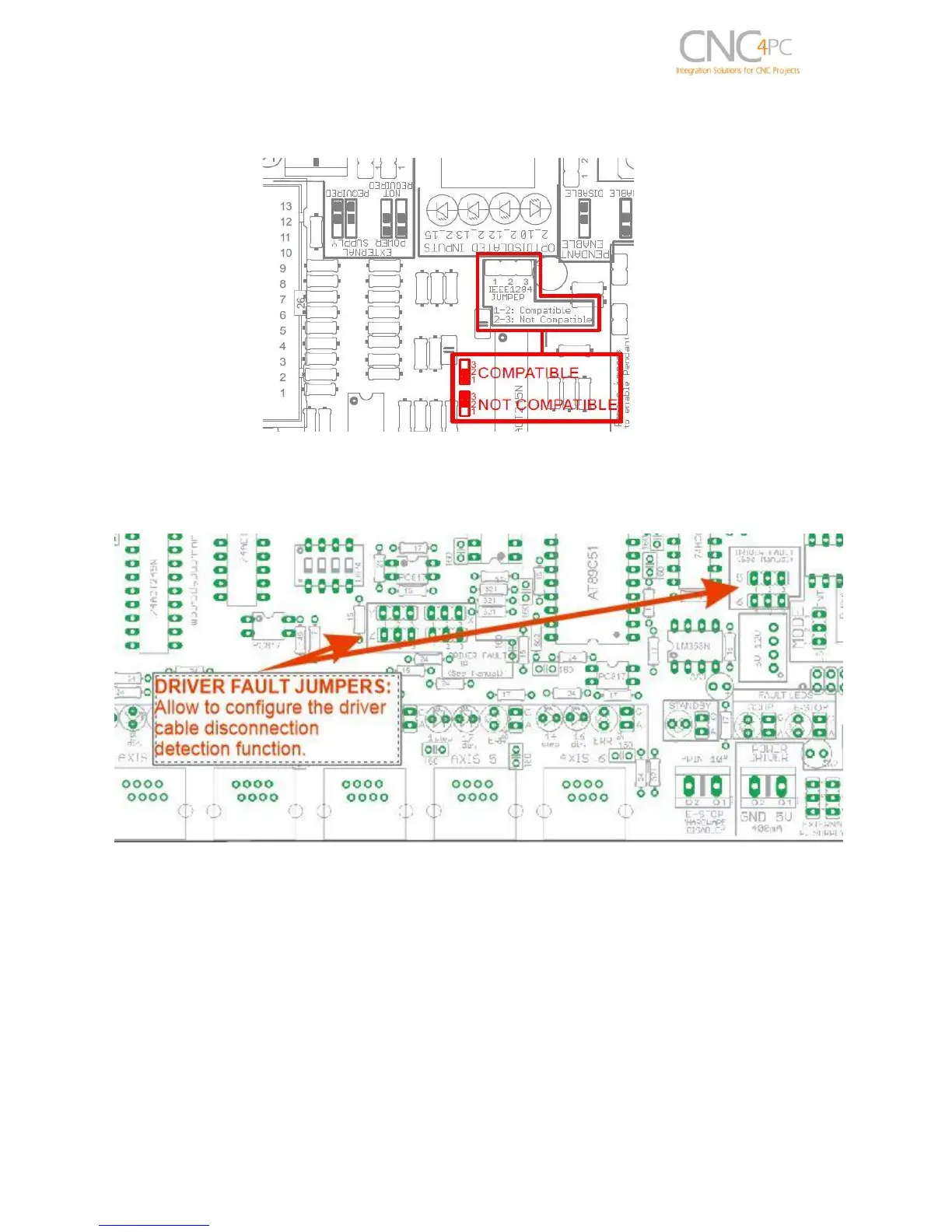
By other hand, if using a SS or an ESS as controller, set jumper in “Not compatible”
position
4.4 Driver Fault Jumpers
Some C34 boards have a special circuit that allows to the C32 detecting when the C34
has been disconnected.
To enable this detection function is required set jumper of the axes to be used in 1-2
position. If the C34 does not include this disconnection detection circuit or this function
is not going to be used, set all jumpers in 2-3 position (see the respective C34 User
manual).
If this function is enabled and any C34 is disconnected, the C32 will go to standby mode
and a driver error will be shown.



 To Next Page