3 INSTALLATION
3.1 To locate the Switch on a desktop
.Attach the four rubber feet included in the product package to the bottom of the Switch, one in
each corner.
.Place the Switch on a clean, flat desk or tabletop close to a power outlet.
.Plug in all network connections and the power cord.
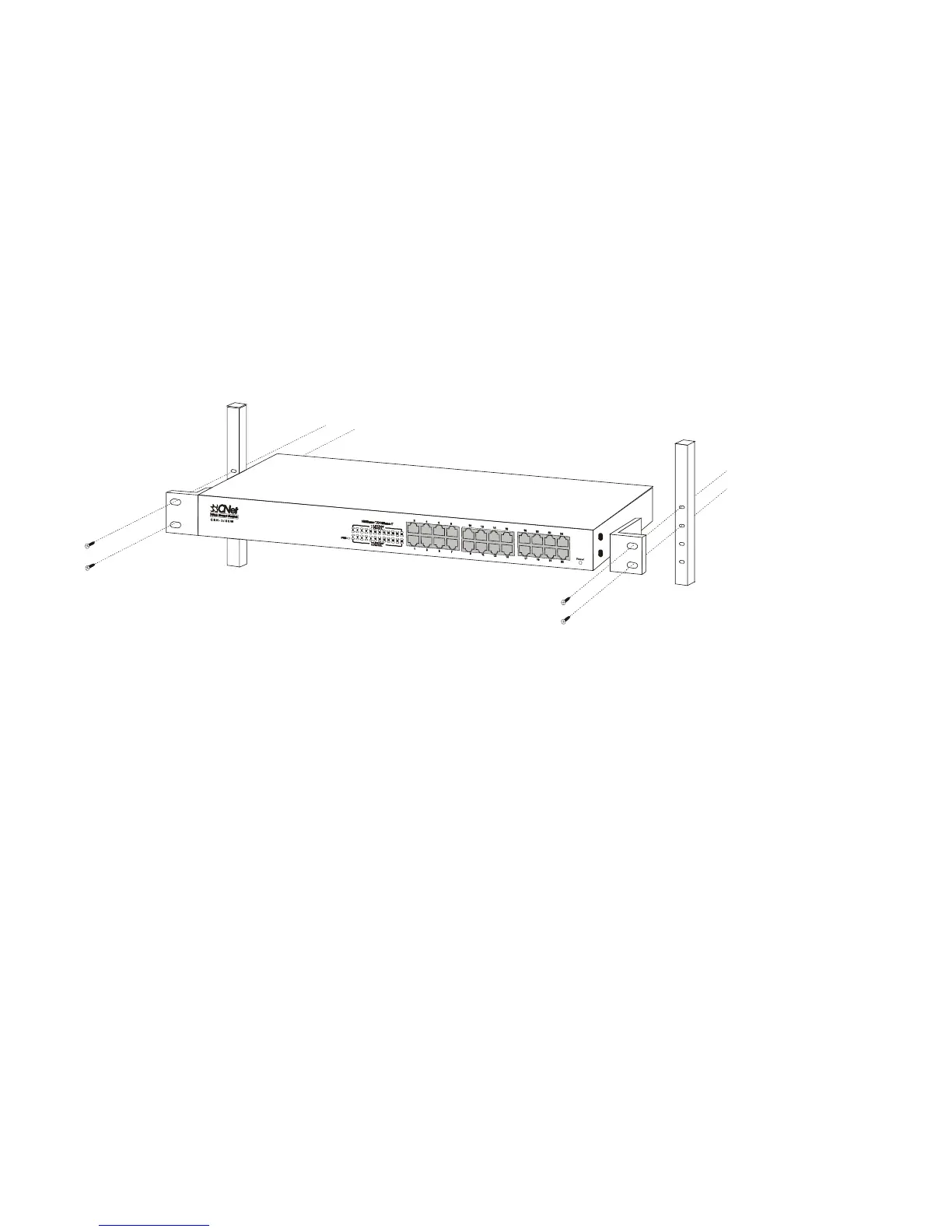
3.2 Rackmount Placement
.Attach one rack mounting bracket on each side of the Switch’s front panel and secure each
bracket with the provided screws
.Use the other provided screws to secure each Switch to the rack.
6



 To Next Page