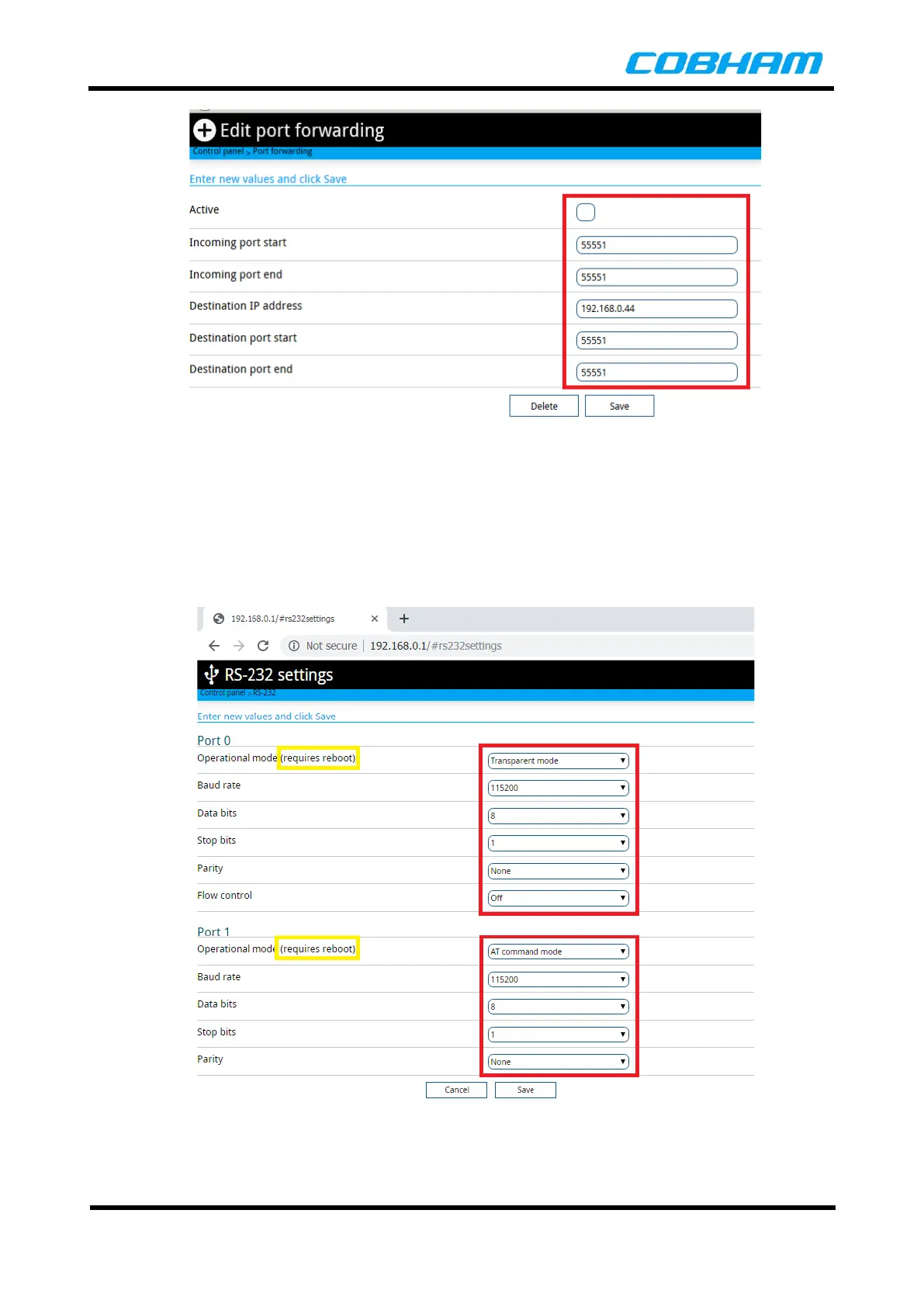
Figure 8-2: Configure Port Forwarding, step 2/5
4. Control Panel->RS-232 Settings, configure the RS-232 serial interface if required. There are two
RS-232 serial ports provided on the AVIATOR UAV 200 terminal. One of the RS-232 port can be set
to accept AT Commands to allow navigation data to be sent to the AVIATOR UAV 200 terminal. The
RS-232 port can also be set as a transparent serial port for sending user serial data.
Select the Operating Mode to AT Command Mode for sending navigation data or Transparent
Mode for user data to enable the serial port.
Figure 8-3: Serial Port Settings, step 3/5



 To Next Page