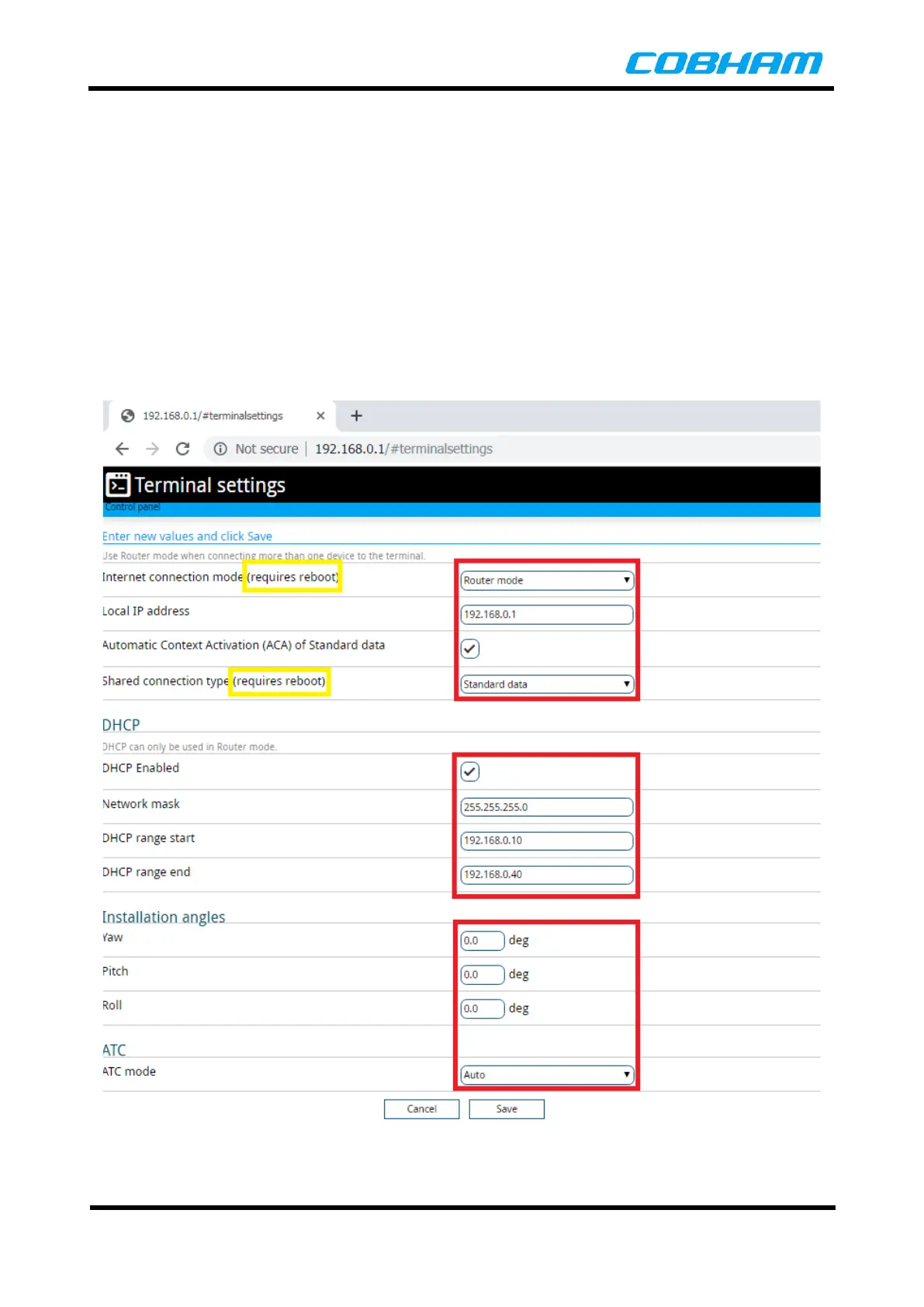
8.4.5.2 Terminal Settings
The Terminal Settings page allows you to configure the router mode and local IP address of the terminal.
The default is 192.168.0.1.
Note:
When selecting the internet connection as Modem Mode it is recommended that the Port Forwarding rules
be disabled.
IP address 192.168.2.0/24 is reserved for the Radio Module.
In order to change the Automatic Context Activation quality of service, the user must be logged in as an
administrator and any existing or establishment process of a Shared Packet Data context must be
disconnected.
This page also allows the operator to configure the DHCP server settings, install angles of terminal
installation and enabling or disabling the ATC mode.
Figure 8-21: Terminal Settings



 To Next Page