Press to stop recording and to start. When
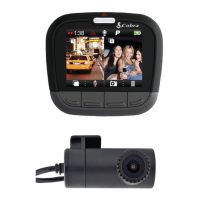
is displayed instead of to CAM 2 is connected
indicate dual recording.
CONTINUOUS LOOP RECORDING
When the MicroSD Card is full it will overwrite the
oldest clips to make room for new footage.
G-SENSOR
A built-in accelerometer senses sudden accelerations or
collisions and automatically protects footage surrounding
the incident so that it will not be overwritten by
Continuous Loop Recording.
PARKING MODE
Parking Mode provides security while your vehicle is parked.
If the dash cam doesn’t sense any motion for a set time the
screen will turn off and recording will stop. If motion is
detected or the G-Sensor is triggered, the camera will
automatically wake up and start recording again.
Pressing at any time will capture a still photo on both
CAM 1 and CAM 2.
Press to create an Emergency Recording. Emergency
Recordings apply to both CAM 1 and CAM 2 video files and
will not be overwritten by Continuous Loop Recording.
While recording, press Button 1 to toggle between viewing
modes. With CAM 2 connected, the options are CAM 1,
CAM 2, Split Screen, and Screen Off. Note that viewing mode
does not affect recording. Separate video files are created
for CAM 1 and CAM 2 regardless of your viewing mode.
KEY DASH CAM FEATURES
BASIC OPERATION


 To Next Page