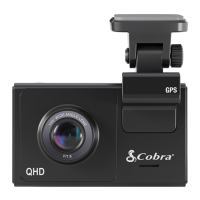
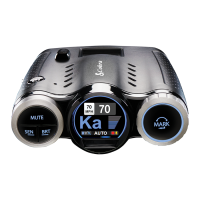
BASIC OPERATION
POWERING ON THE DEVICE
The device will power on automatically when plugged in and can also be powered by PRESSING AND
HOLDING the Multifunction button until the LED’s activate (when connected to power).
LOOP RECORDINGS:
Once the SD card is full, the camera will continuously overwrite the oldest footage recorded with recent
recordings. To protect a clip so that it will not be overwritten, press the Multifunction button so that the
clip is moved into the locked content partition.
EMERGENCY RECORDINGS:
An Emergency Recording is triggered when the Multifunction button is pressed or when the G-Sensor
registers a significant impact (hard braking or collision). Emergency Recordings create locked files that are
not overwritten by Continuous Loop Recording. To ensure that important footage is not lost surrounding
an incident, the prior video clip is locked if the incident happens within 30 seconds of the beginning or
end of a clip.
THE MICRO SD MEMORY CARD
The device comes with a Micro SD memory card. To remove the SD card, press firmly on the SD card to
push it further into the slot. There will be a click and the SD card will pop out on release. Extract the card
and replace as necessary by inserting a card into the slot and pressing until it locks in place. This camera is
compatible with Micro SD cards up to 128GB. Please be sure to format the card in-camera before use.
Class 10 high-endurance cards from reputable brands are recommended for constant video recording of a
dash camera.
VOLUME ADJUST
Models with LCD displays allow the user to select “Volume” in the setting menu to and adjust volume of
notifications and voice announcements. Both products with LCD displays and without allow for volume
adjustment using the Drive Smarter Mobile App.
VOICE ANNOUNCEMENTS
Your SC 100 can warn you when you are approaching red-light and speed-cameras, user-reported
police, radars detected in the area, accidents, and more using our mobile app. It will also use voice
announcements to give you important camera system information.



 To Next Page