Getting To Know The Internet Tablet Page 7
English
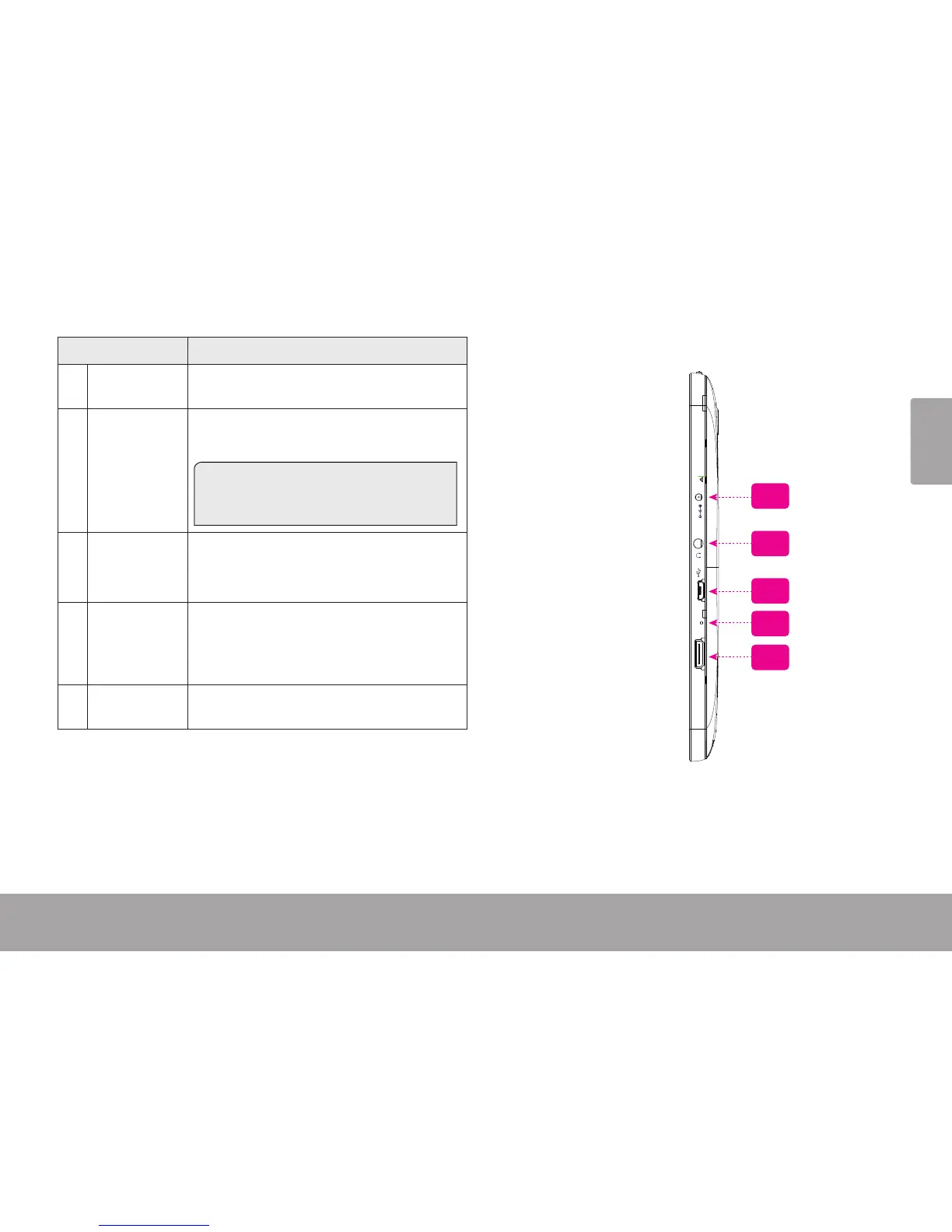
Name Description
7 Power jack
(DC input)
Charge and power the tablet with the
included power adapter.
8 Headphone
jack
Audio output connection for head-
phones.
Note: Speaker output is automatically
disabled when headphones are con-
nected to the player.
9 USB 2.0 Hi-
speed port
Connect to a computer to transfer data
(e.g., music, videos, photos, les).
10 Reset key Press to reset the tablet if it freezes or
otherwise behaves abnormally. (Use a
paperclip or other small object to gen-
tly press this key.)
11 HDMI jack
(mini Type C)
Connect to a TV or other display.
RESET
HDMI
MIC
DC IN 5V
7
10
11
8
9














 To Next Page