It is recommended to STOP play when erasing music or voice
file(s)
1
Stop playing or recording.
2
To Erase MP3 file(s)
Press the [Mode] button and [
] [ ]Button
to go to the [Erase Music] submenu.
3
To Erase Voice File(s)
Press the [MODE] button and [
] [ ]
button to go to [voice mode];
Press [MODE] button to enter the submenu
and press [
] [ ] button to [Erase Voice
File] submenu.
4
Press [MODE] button to enter the [Erase
Music] or [Erase Voice File] submenu.
5
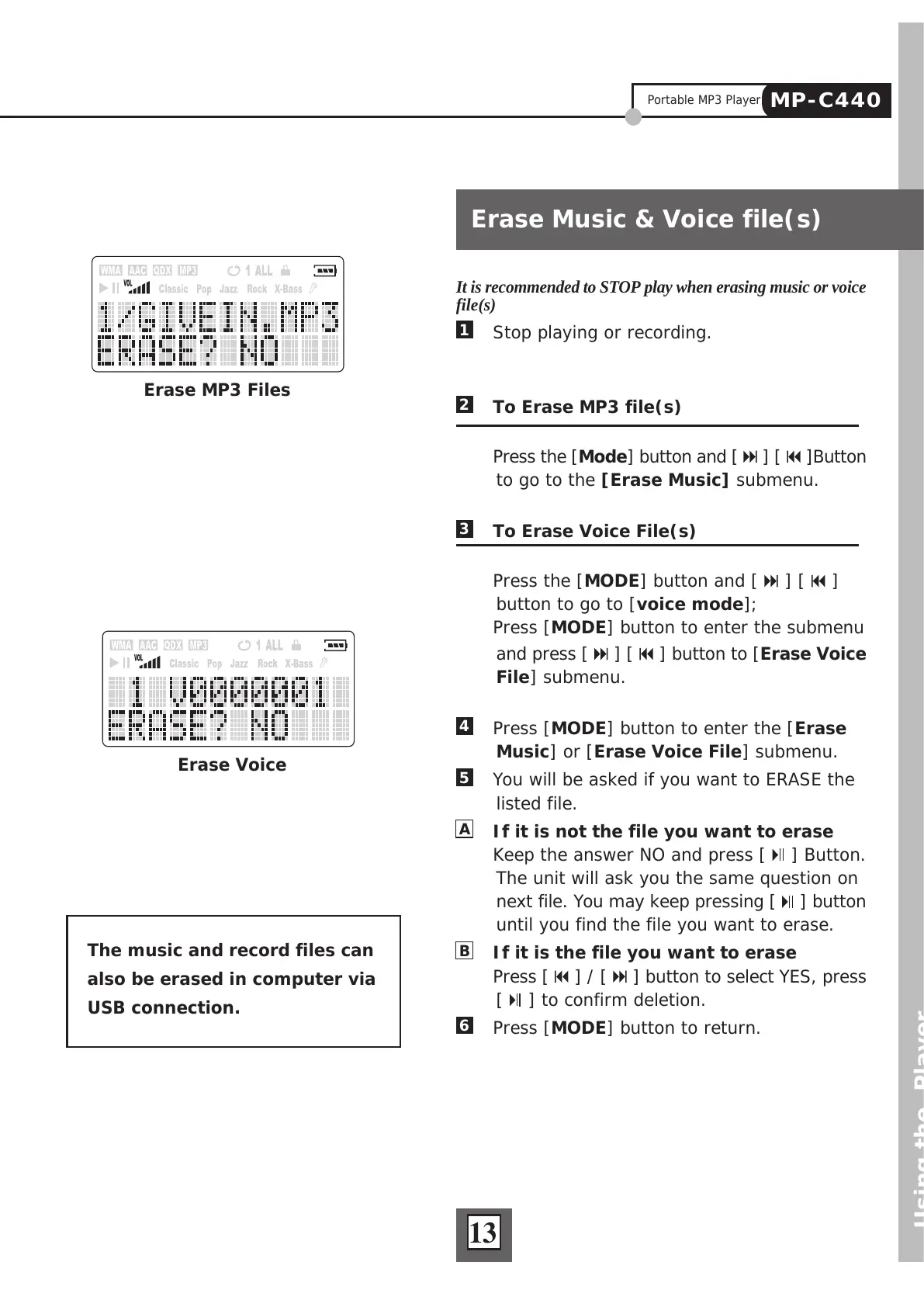
You will be asked if you want to ERASE the
listed file.
A
If it is not the file you want to erase
Keep the answer NO and press [
] Button.
The unit will ask you the same question on
next file. You may keep pressing [
] button
until you find the file you want to erase.
B
If it is the file you want to erase
Press [
] / [ ] button to select YES, press
[
] to confirm deletion.
6
Press [MODE] button to return.
Using the Player
Erase Music & Voice file(s)
13
The music and record files can
also be erased in computer via
USB connection.
Erase Voice
Erase MP3 Files
Portable MP3 Player
MP-C440



 To Next Page