Setting Up the Player
Connect to PC
Connection
1
The battery must be in the player.
2
Position the PC so that its USB Ports can
be easily accessed.
(Note : The USB port(s) may be found on
the front panel or elsewhere instead of the
back panel. Refer to your PC dealer for
support if necessary. )
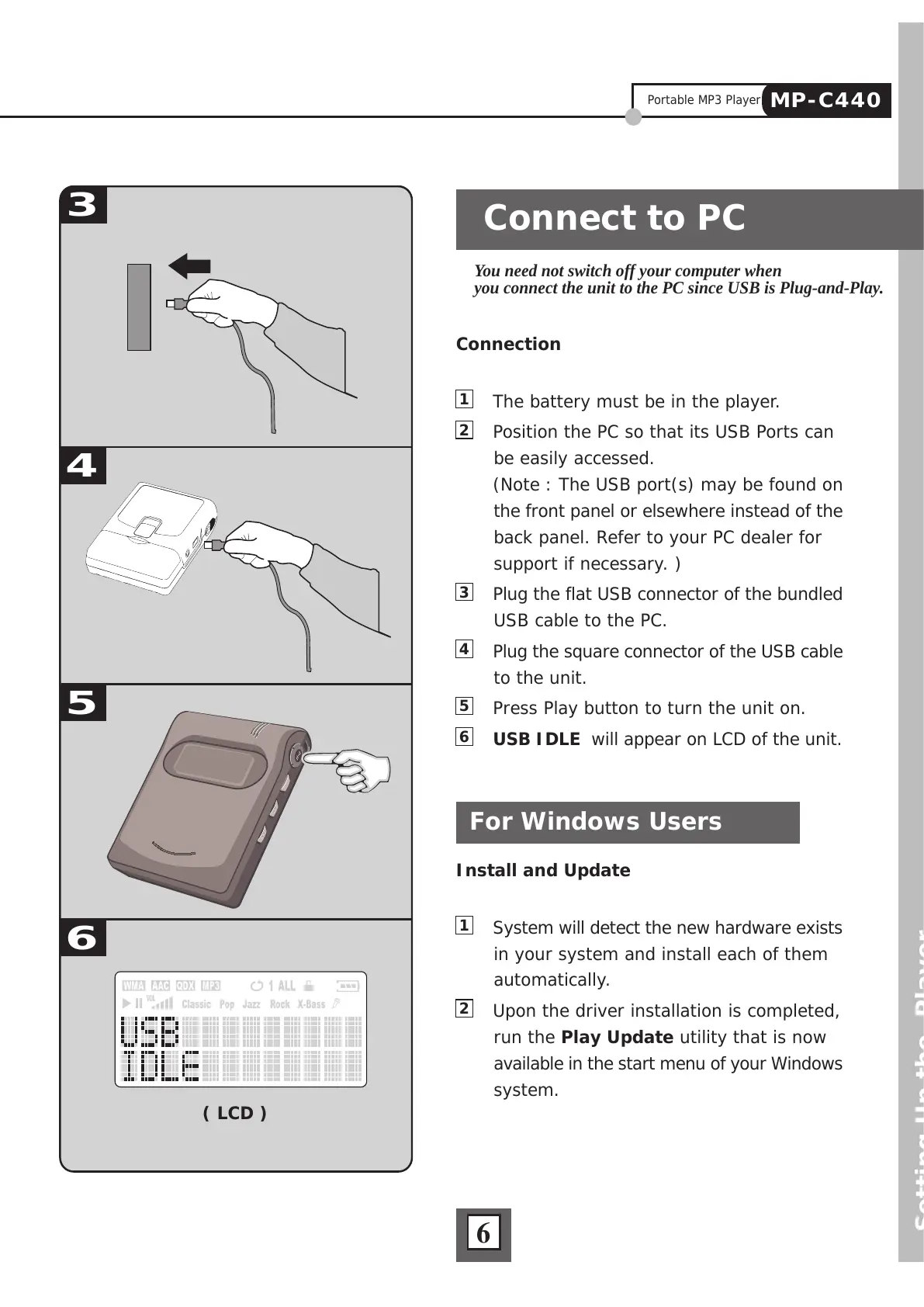
3
Plug the flat USB connector of the bundled
USB cable to the PC.
4
Plug the square connector of the USB cable
to the unit.
5
Press Play button to turn the unit on.
6
USB IDLE will appear on LCD of the unit.
Install and Update
1
System will detect the new hardware exists
in your system and install each of them
automatically.
2
Upon the driver installation is completed,
run the Play Update utility that is now
available in the start menu of your Windows
system.
You need not switch off your computer when
you connect the unit to the PC since USB is Plug-and-Play.
For Windows Users



 To Next Page