This function causes the unit to ignore short,
accidental button presses.
The HOLD function prevents the following :
The unit is powered on accidentally when not
in use, causing the batteries to run down.
A button is accidentally pressed during play,
interrupting the operation.
To use the HOLD function
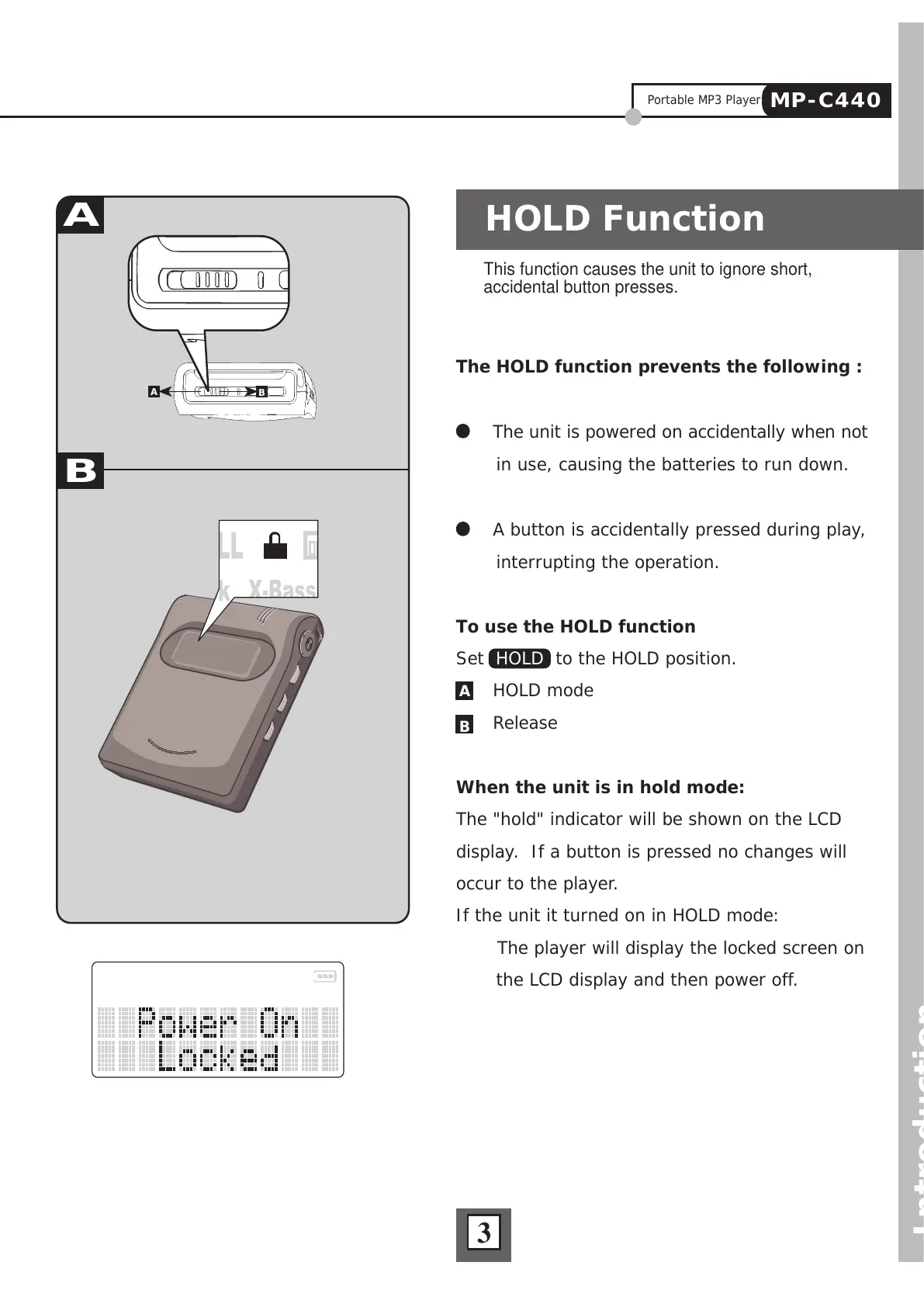
Set HOLD to the HOLD position.
HOLD mode
Release
When the unit is in hold mode:
The "hold" indicator will be shown on the LCD
display. If a button is pressed no changes will
occur to the player.
If the unit it turned on in HOLD mode:
The player will display the locked screen on
the LCD display and then power off.
HOLD Function
Introduction
A
B
A
B
3
Portable MP3 Player
MP-C440



 To Next Page