www.cobyusa.com Page 15
Main Menu
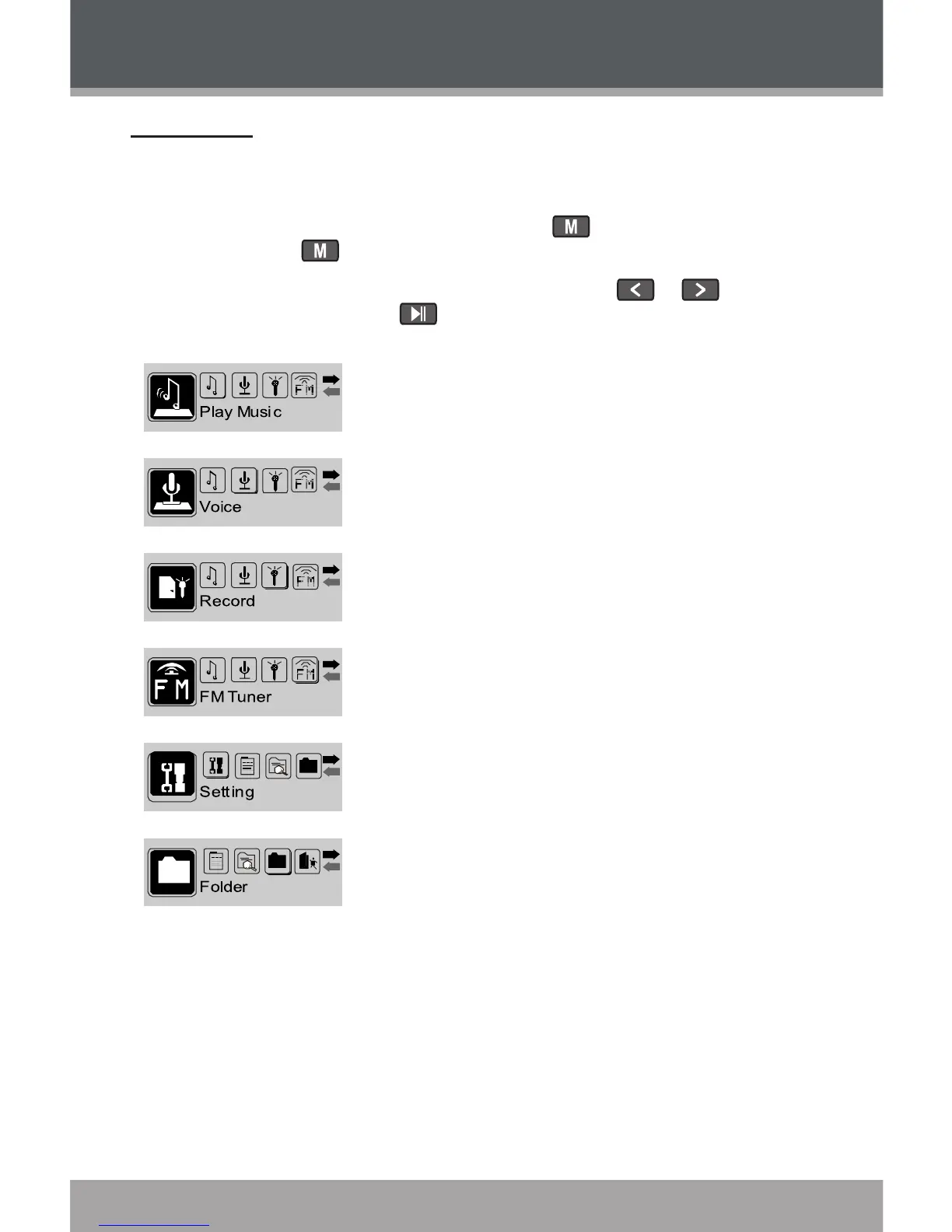
The Main Menu gives you access to the different function modes of your
player.
To enter the Main Menu, press and hold . To exit the Main Menu,
press and hold .
To select a function mode in the Main Menu, press or to highlight
the mode, and then press to conrm.
Play Music
Play your digital MP3 or WMA music les.
Voice
Play your digital voice recordings.
Record
Record from the integrated microphone.
FM Tuner
Listen to FM radio broadcasts.
Record FM radio broadcasts.
Setting
Set your player’s internal options.
Folder
Play, view, or delete les from your player.
GETTING STARTED


 To Next Page