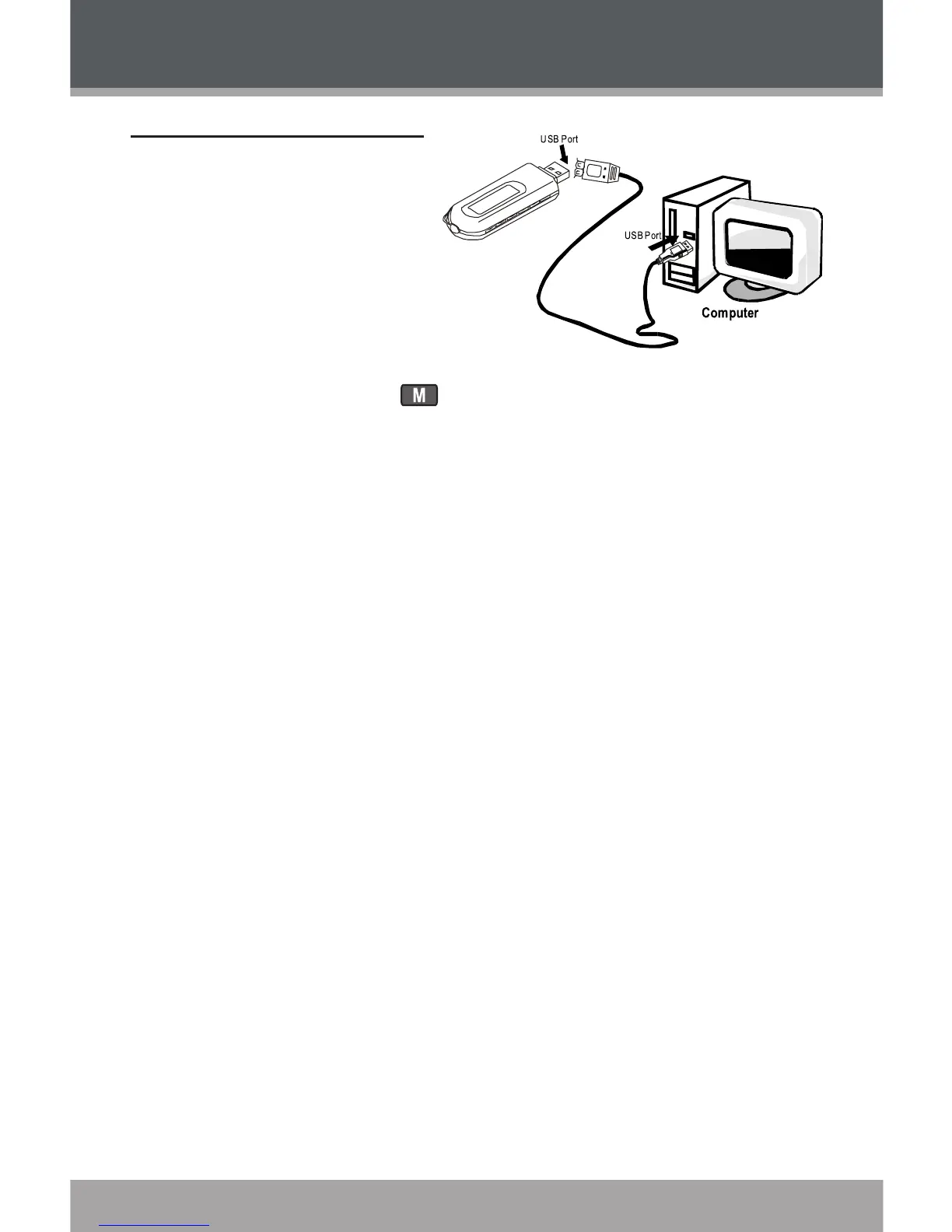
Connecting to a Computer
Make sure the player is turned off.
Remove the USB Cap and
plug the MP-C855 directly
into your computer’s USB
port. You may choose to use
a USB extension cable to
connect to a computer.
You can switch between
USB modes quickly after your player has been connected to the
computer. Press and hold during connection to toggle between the
USB modes.
USB-MTP Mode
When the MP-C855 is connected under USB-MTP mode:
Your computer will automatically recognize the player as an MTP Device.
An icon representing your player will appear under “Audio Devices” when
you open “My Computer”.
It may take Windows several minutes to recognize and set up the device
the rst time it is connected depending on your hardware conguration.
USB-MSC Mode
When the MP-C855 is connected under USB-MSC mode:
Your computer will automatically recognize the player as an MTP Device.
An icon representing your player will appear as a “Removable Disk” when
you open “My Computer”.
It may take Windows several minutes to recognize and set up the device
the rst time it is connected depending on your hardware conguration.
1.
2.
3.
USB CONNECTIONS


 To Next Page