4
5
6
7
8
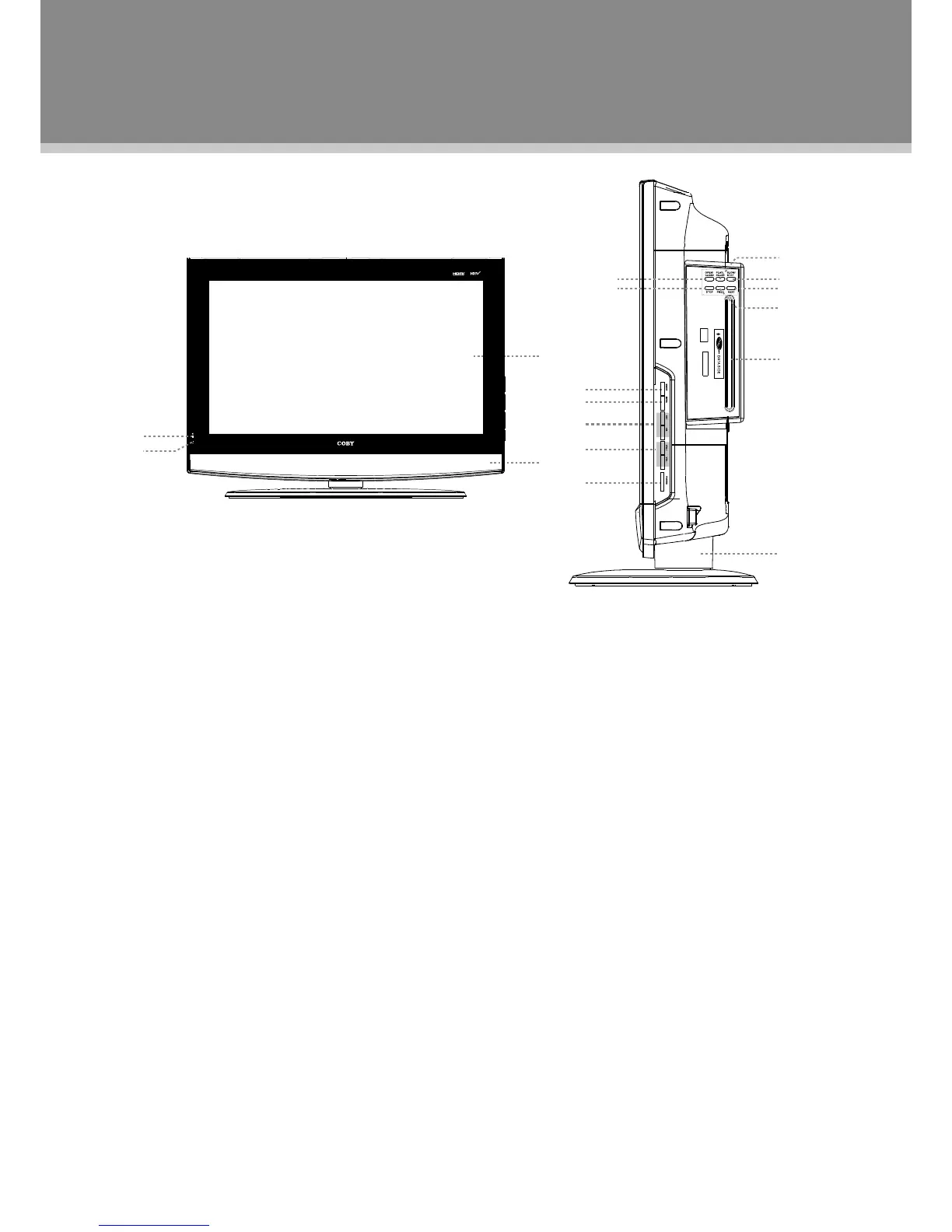
Unit View
1.TFTPanel
Presentthehighresolutionpicture.
2.Speaker
Outputsound.
3.RemoteSensor
Sensetheremotesignal.
4.PowerIndicator
Lightsgreenunderthenormaluse.
Lightsredinthestandbymode.
5.MODE
Presstoshiftmodes.
6.MENU
Presstodisplaythesystemmenu.
7.CH+
Presstoskipchannelsforward.
Italsoworksastheupdirectionbuttonwhile
workingwiththemenu.
CH-
Presstoskipchannelsbackward.
Italsoworksasthedowndirectionbutton
whileworkingwiththemenu.
8.VOL+
Presstoincreasethevolume.
Italsoworksastherightdirectionbuttonwhile
workingwiththemenu.
VOL-
Presstodecreasethevolume.
Italsoworksastheleftdirectionbuttonwhile
workingwiththemenu.
9.POWER
Presstoturnthepoweron/off.
10.OPEN/CLOSE
Presstoopen/closethediscroom.
11.STOP
Presstostopthediscplayback.
12.PLAY/PAUSE
Presstostart/holdplayback.
13.SLOW/STEP
Presstohavetheplaybackadvancedinaslow
motion,whichwouldbefuthersloweddownfor
eachtimeyoupressedthisbutton,ifyoupause
theplaybackwiththePlay/Pausebuttonand
thenrepeatedlypressthisbutton,itwillmove
step-by-stepforward.
14.NEXT
SkiptothenextDVDchapters/titlesorCD
tracks.
15.PREV
SkiptothepreviousDVDchapters/titlesorCD
tracks.
16.DiscSlot
Giveaccesstothedisccompartment.
17.Stand
Unit's Front and Side Panel



 To Next Page