8
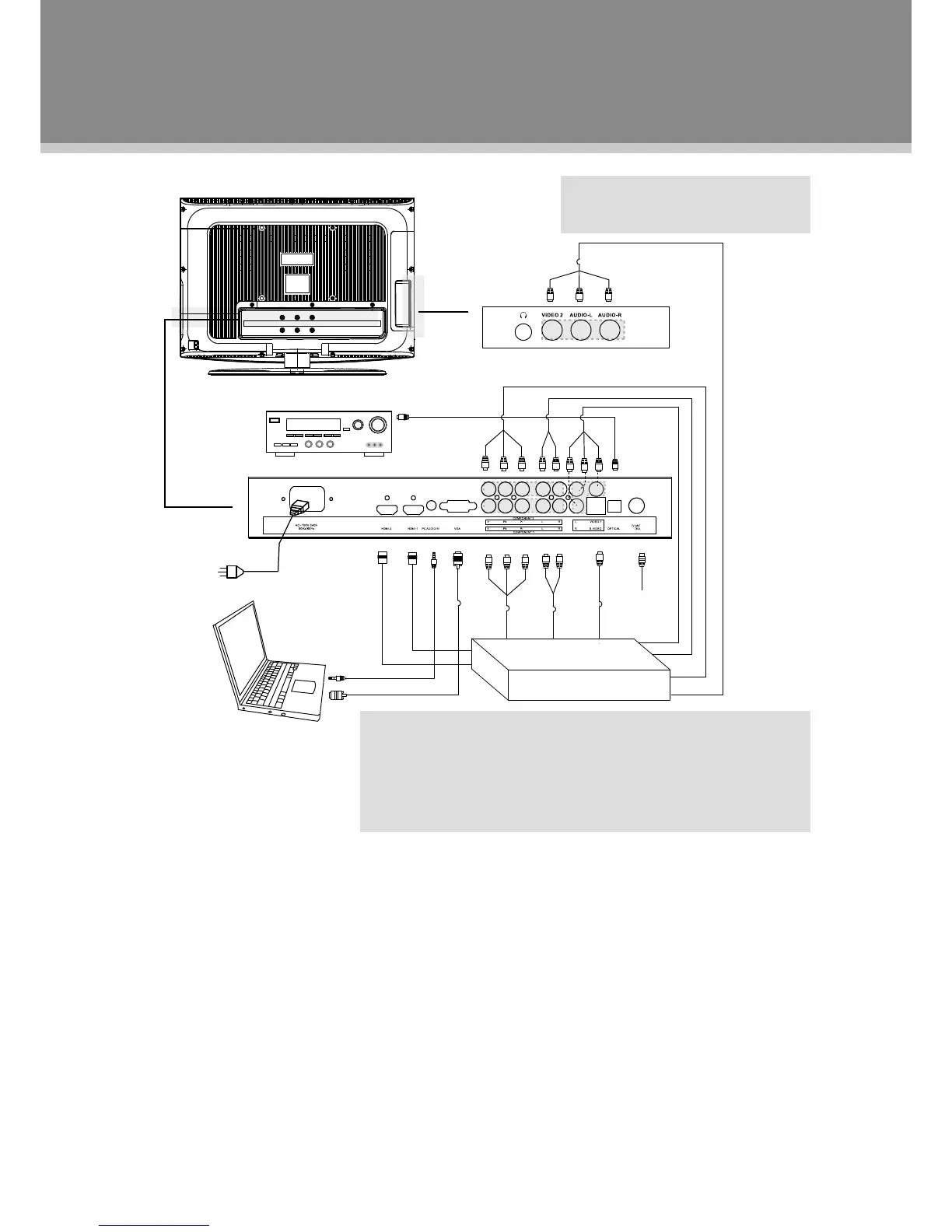
Figure. Cable connections
Antenna/Power Connection
ConnectTVRFsourcestotheantennaport.TVRFsignalsinclude:receivingantenna/CATVnet.You1.
canuse75Ohmcoaxialcabletoconnectoutdoorantenna.
Insertoneendofthesuppliedpowercordtotheplayer’spowerjackandtheotherendtothe110-240V2.
ACwalloutlet.
Compoent Input1/2 (Y Cb/Pb Cr/Pr)
Thecomponentportiscapableofacceptinghigh-denitionsignalsfromstandardvideosources.(e.g.,cable/
satelliteboxes,DVDplayers,VCRs,etc.)
ConnecttheY/Pb/Prportbythecomponentcabletoinputthevideosignal.1.
Connect“R”"L"portbythesuppliedAVcable toinput theaudiosignal.Thered/whiteplugof theAV2.
cableisfortheaudioconnecitonandtheyellowplugforthevideoconnection.
S-Video Input
TheS-Videoportiscapableofacceptingsignalsfromstandardvideosources.(e.g.,cable/satelliteboxes,
DVDplayers,VCRs,etc.)
ConnecttheS-VideoportbytheS-Videocabletoinputthevideosignal.1.
ConnecttheAUDIO-L/RportbythesuppliedAVcabletoinputtheaudiosignal.2.
Cable Connections
Settheunitintotherelativeinput/output
modetoenablethesignalpass.
NOTE:
WesupplyonesetofAVcableandonepieceofpowercordwiththis
product.Thewhite/redplugoftheAVcableisfortheaudioconnectionand
theyellowplugforthevideoconnection.
Thewhite/redplugoftheAVcablecanalsobeusedseparatelytoinput
theaudiosignalintheS-video/Componentconnection.



 To Next Page