18
Start Playing
PressPLAY/PAUSEtostartplayback
Pause Playing
Duringplayback,pressPLAY/PAUSEoncetoholdplaying,pressitagaintoresume.
Stop Playing
PressSTOPoncetostopplaybackatatimepoint.(Pre-stopmode)Itwillresumefromwhereitwasstopped.
Pressittwicetostopplaybackcompletely.
Repeat Function
UsetheREPEATbuttontoperformtherepeatfunction.
RepeatedlypresstheREPEATbuttontocyclethroughtherepeatmodesasbelow,1.
DVDMode REP:CHAPTER-->REP:TITLE-->REP:ALL-->REP:OFF
CDMode REP:1-->REP:ALL-->REP:OFF
UsetheA-B buttonon the remoteto repeata sectionA-B. PressA-BoncetosetthestartingpointA,2.
pressittwicetosettheendingpointB,theplayerstartsrepeatingsectionA-B.Tocancel,pressA-B.
NOTE:Somediscsdonotsupporttherepeatfunction.
Search Function
Gotothedesiredsectioninadisc.
PresstheGOTObutton,belowpictureappearsonthescreen.
DVD
Searchbytitle/chapter/time
CD/MP3
Searchbytrack/time
Pressthedirectionbuttonstomovebetweentitle/chapter/timeentry,pressthenumericbuttonstoinput1.
data.PresstheOKbuttontostartsearch.
PressGOTOonceagaintoexit.2.
NOTE:SomeDVDdiscsdonotsupportthesearchfunction.
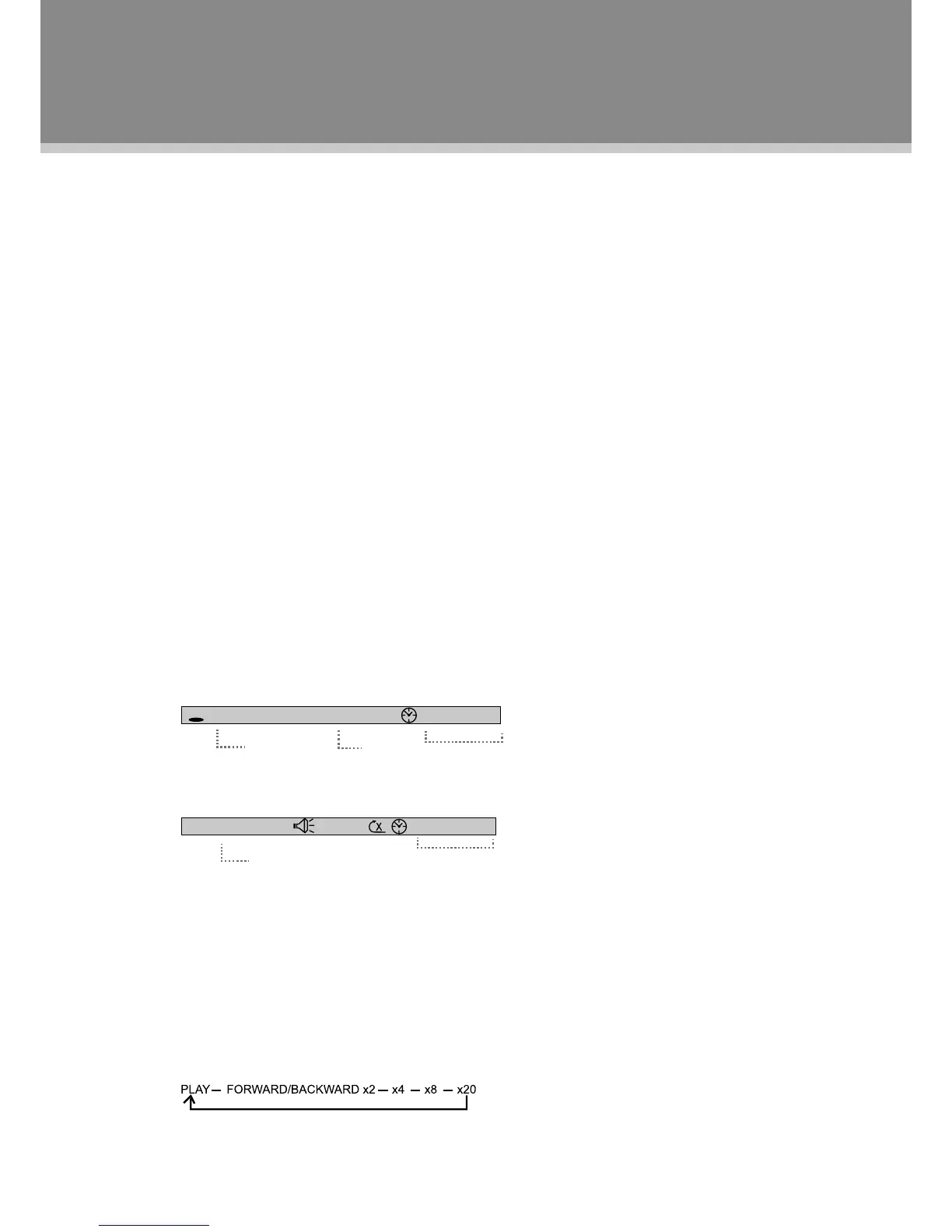
Fast Playback
PressF.FWD/F.BWDontheremotetogofastforward/backwardthroughadisc.Repeatedlypressthebutton
tochangethesearchspeedasbelow.
TT 06 / 12 CH 018 / 029 00 : 01 : 26
DVD
Title
Chapter
Time
TRK 06 / 12 00 : 01 : 26
Track
Time
Playback Function



 To Next Page