20 KANSO 2 SOUND PROCESSOR USER GUIDE
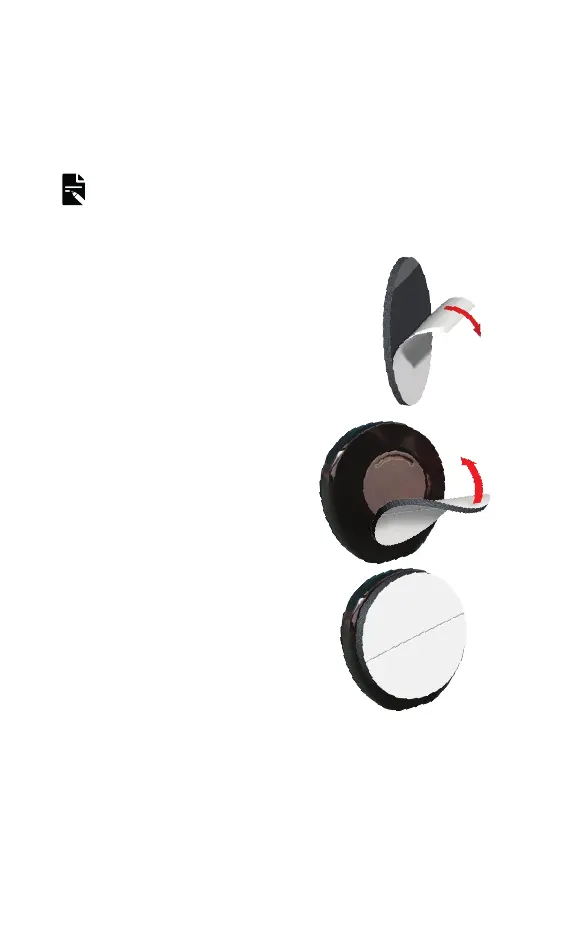
Attach a SoftWear pad
The Cochlear SoftWear
™
pad is optional. If you experience
discomfort when wearing your processor, you can attach
this adhesive pad to the back.
NOTE
You may need to use a stronger magnet after attaching a
SoftWear pad.
1. Peel off the single backing strip
on the adhesive side of the pad.
2. Attach the pad to the back of
the processor – press down
firmly.



 To Next Page