22 KANSO 2 SOUND PROCESSOR USER GUIDE
Use the Socket Cover
The Kanso 2 Socket Cover is an optional accessory that can
prevent dust and other material from entering the
processor socket.
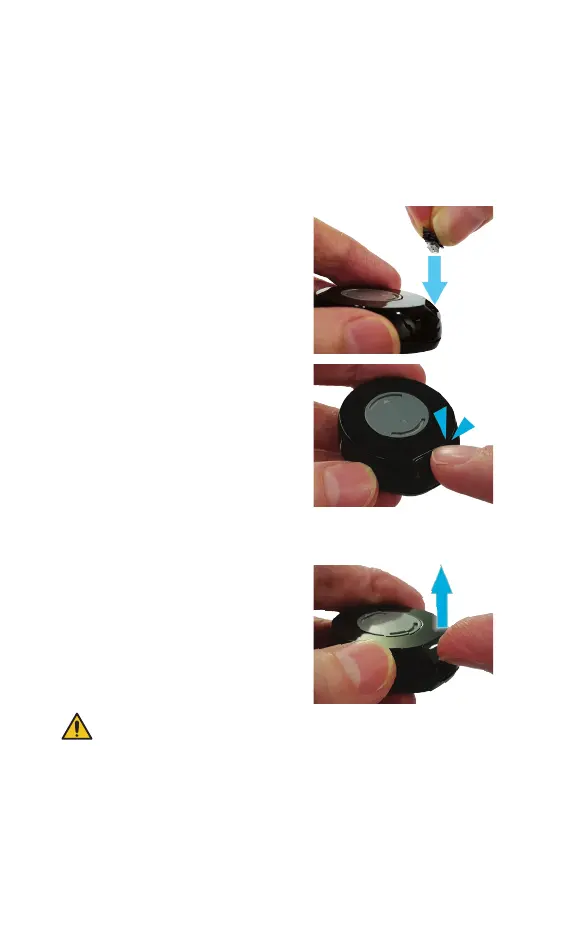
Insert the Socket Cover
1. Place the Socket Cover in the
processor socket.
2. Press until it clicks into place.
Remove the Socket Cover
Place your thumbnail in the slot at
the base and lift.
WARNING
Socket covers can be lost or may be a choking hazard. Keep out
of reach of children.



 To Next Page