KANSO 2 SOUND PROCESSOR USER GUIDE 35
WEAR
Insert a magnet
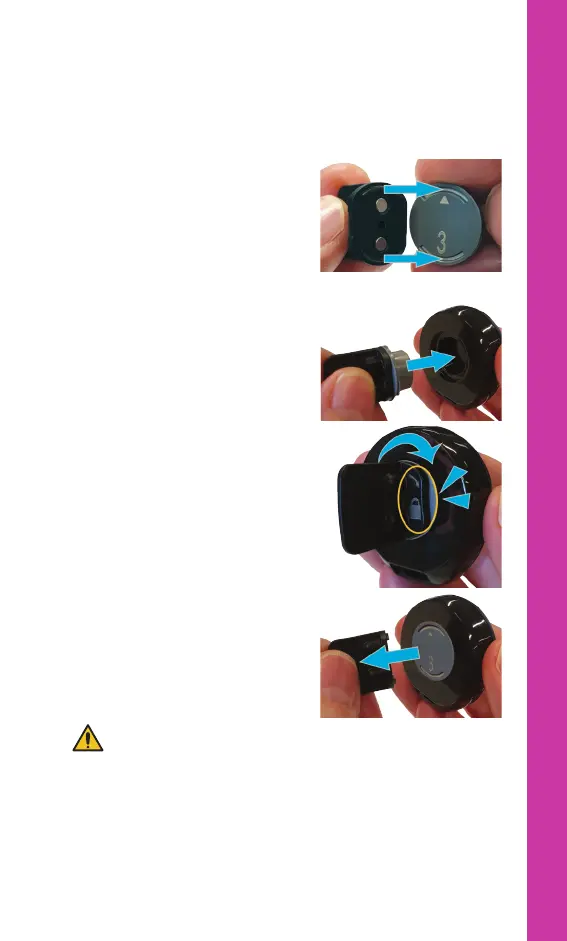
To insert a magnet into your processor:
1. Place the tool on the magnet.
Insert the tool ridges into the
magnet grooves.
2. Insert the magnet into the
processor.
3. Turn the tool clockwise until
until the magnet clicks into
place.
4. Remove the tool from the
magnet and store in a safe
place.
WARNING
Magnet Tools can be lost or may be a choking hazard. Keep out
of reach of children.



 To Next Page