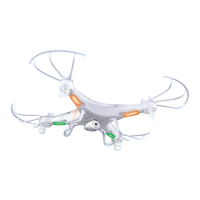
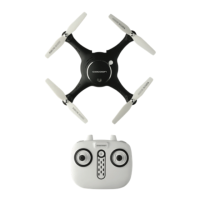
e. Screw in the replacement blade rmly
f. When ying the drone after replacing the propellers, gently increase the throttle to check that
the drone will remain stable when ying. If the incorrect propeller type is used, the drone will
be unable to remain level
To purchase additional propellers or parts for your drone, visit www.cocoonproducts.com.au
3.13 Fly the Cocoon FPV HD Camera Drone using the ‘Drone Go’ App
The Cocoon FPV HD Camera Drone can be operated using the remote control and/or a
smartphone. To setup your smart phone:
a. Download the drone application by using a QR code reader application and scanning the below
QR codes or by searching in the App Store or Play Store for ‘Drone Go’
b. Download the application from the App Store or Google Play depending on your device
c. Switch ON both the remote control and drone and pair them as per section 3.1
d. Go to settings on your phone and turn on WiFi. In the WiFi Search list select “FPV_WIFI_****” .
e. Open the app, click the Start icon to enter the control interface.
For more information on the Drone FPV interface, see page 24
NOTE:
• We recommend using the remote control to y the drone whilst using the App for photos, videos and
FPV (First Person Viewing). Only advanced users should y the drone using a mobile device without
the remote control
• A full bar in the WiFi signal icon indicates the strongest possible signal
• If the remote control is ON and paired to the drone, you will not be able to y the drone using your
mobile device. You will only be able to take a photo or video
• To y the drone using your phone, always turn the remote control OFF
• The control distance with your phone is up to 25 meters
Operation
iOS App


 To Next Page