EasyManua.ls Logo

Code 3 DEFENDER TriCore - User Manual

Code 3 DEFENDER TriCore
12 pages
Print Icon
To Next Page IconTo Next Page
Loading...
1
INSTALLATION &
OPERATION
MANUAL
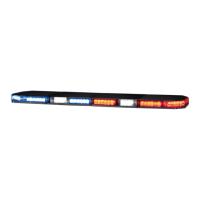
FOR DEFENDER™ TRICORE™
LIGHTBAR
Read all instructions and warnings before installing and using.
INSTALLER: This manual must be delivered to the end user of this equipment.
IMPORTANT:
Introduction............................................................................................2
Unpacking & Pre-Installation...................................................................3
Installation & Mounting............................................................................3
Wiring Instructions...............................................................................3
Options & Specications......................................................................3-4
Flash Pattern Selection......................................................................4-7
Maintenance.......................................................................................8
Exploded View/Parts List.............................................................................8-9
Troubleshooting...............................................................................10
Notes...............................................................................10-11
Warranty/Returns................................................................................12
CONTENTS:
For future reference record your lightbar's serial no. here __________________________________________
DEFENDER™
LIGHTBAR
WITH TRICORE™ TECHNOLOGY
U.S. Patent Nos. 7,153,015 and 7,300,175

Questions and Answers

  • M
    michael46Aug 3, 2025
    Why don't my Code 3 Automobile Accessories cruise lights work?
    • A
      Anthony WoodsAug 3, 2025
      If the cruise lights on your Code 3 Automobile Accessories aren't working, there could be a couple of reasons. First, check if the cruise wire is properly connected to a power switch. If it's not, connect it. Second, another central controller function might be active. Try turning off any other functions that are currently running.
  • W
    whiteamyAug 13, 2025
    What to do if the Code 3 DEFENDER TriCore Automobile Accessories TriCore Front Module is not operating?
    • O
      oliviagriffinAug 13, 2025
      If the TriCore Front Module on your Code 3 Automobile Accessories isn't operating, here are a few things to check: 1. Make sure the Front and/or Rear Cut function is not powered. If it is, turn it off. 2. Inspect the cable and connector to ensure they are properly plugged in. 3. If the module is defective, replace it.
  • C
    Cody Cole MDAug 22, 2025
    How to fix a Code 3 DEFENDER TriCore Automobile Accessories TriCore Corner Module with one head out?
    • A
      Alex RobertsAug 22, 2025
      If one head is out on your Code 3 Automobile Accessories TriCore Corner Module, it could be due to a defective module, in which case you should replace it. Alternatively, the cable or connector might be unplugged, so check those to ensure they are properly connected.

Summary

Introduction and Safety Information

Introduction to Defender Lightbar

Overview of the Defender lightbar's TriCore technology and unique features.

Critical Safety Warnings

Essential safety warnings regarding device usage, operator responsibility, and electrical hazards.

Installation and Wiring Procedures

Unpacking and Pre-Installation

Steps for unpacking the lightbar, inspecting for damage, and preparing for installation.

Mounting Hardware and Installation

Information on mounting hardware, installation procedures, and vehicle compatibility.

Wiring Instructions and Safety

Guidance on wiring connections, fuse/breaker requirements, and electrical safety precautions.

Options and Specifications

Overview of available options, including TriCore warning modules and fusing considerations.

Lightbar Operation Modes

Dim Operation Mode

Explanation of the low power 'Dimming' mode for TriCore light heads.

LED ArrowStik Feature

Details on the integrated, programmable ArrowStik feature for traffic directing.

Selecting Flash Patterns

Procedure for selecting and activating various flash patterns for emergency modes.

Flash Pattern Details and Notes

Notes on Operation and Functions

Clarifications on ArrowStik, Level priority, Steady Burn, Cruise Lights, and Dim functions.

Table 1: Flash Pattern Descriptions

Detailed table listing lighting levels and corresponding flash pattern descriptions.

Advanced Configuration Features

Steady Burn Setting

Configuration of TriCore light heads to operate in Steady Burn mode via jumper settings.

ArrowStik Pattern Selection

Introduction to user-selectable traffic directing and warning options for ArrowStik.

ArrowStik Programming Guide

Table 2: Traffic Directing Patterns

Table detailing traffic directing and warning pattern options for different configurations.

ArrowStik Programming Procedure

Step-by-step guide for programming ArrowStik patterns for various modes and configurations.

Maintenance and Parts Identification

Lens Cleaning and Removal

Instructions for cleaning lightbar lenses and procedures for their safe removal.

Light Head Removal Procedure

Steps for safely disconnecting and removing TriCore light heads from the lightbar.

Exploded View of Components

Diagram showing lightbar components with reference numbers for identification.

Parts List

Component Part Numbers

Detailed list of lightbar components, their descriptions, and corresponding part numbers.

Troubleshooting Lightbar Issues

TriCore Light Head Problems

Guide to diagnosing and resolving common problems with TriCore light modules.

Cruise Lights Not Operating

Troubleshooting steps for issues with the Cruise Lights function.

Warranty and Technical Support

Product Warranty Information

Details on warranty period, coverage, exclusions, and conditions that void the warranty.

Product Returns and Service

Procedures for returning products for repair and contact information for technical support.

Code 3 DEFENDER TriCore Specifications

General IconGeneral
BrandCode 3
ModelDEFENDER TriCore
CategoryAutomobile Accessories
LanguageEnglish

Related product manuals