Code Blue
•
259 Hedcor Street
•
Holland, MI 49423 USA
•
800.205.7186
•
www.codeblue.com
GU-157-AApage 32 of 76
CB 1 Series
Administrator Guide
Multitech CallFinder™ Removal
The CallFinder unit is very similar to the New GSM-5.
Antenna connector and Antenna requirements are identical. Power connector is different in that the
center connector is larger, therefore the power cable must be exchanged. Phone line connectors are
also identical, RJ-11.
Step by Step
a. Remove Service Door
b. Disable Power - Disable the main source of power, as well as Storage/Battery power
(positive)
l Solar powered enclosures: Remove battery Positive terminal from
the Barrier Strip and insulate against accidental contact with Barrier
Strip
c. Remove Code Blue Phone, 6 screws, then tilt the top of the faceplate outward and lift out.
l Then disconnect (unplug) all connections, and set phone aside.
d. Locate the CallFinder, it’s behind the phone and up. You should be able to see all three
connections.
e. Unscrew the antenna tting
f. Unplug the RJ-11 phone cable.
g. Unscrew the threaded power connector, and mark this wire, you’ll need to trace this wire later.
h. Left up the CallFinder ¼” and forward, gently lower and remove.
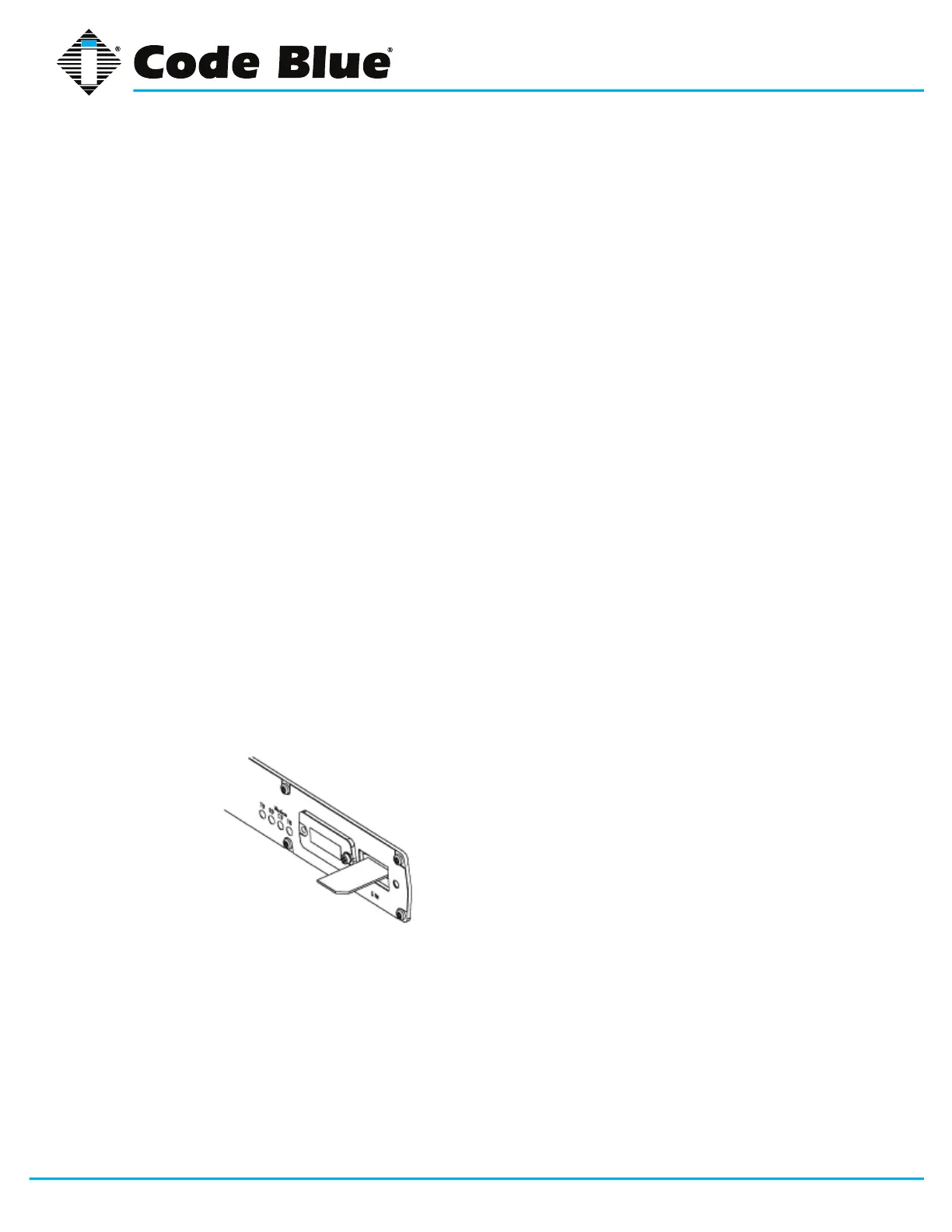
i. With a #1 Philips screwdriver remove the two SIM cover plate.
l Remove the SIM card with tweezers or needle nose plyers, and set
aside. The same SIM card can be reused in the GSM-4.
j. Next, lets follow the power harness wire to the terminal block, and remove the old CallFinder
power forks from the Barrier Strip marking Positive and Negative.
k. Next take the GSM-4 Power cable and prep the wire as shown in Cellular Retro
Instructions Doc supplied Page 3
l Connected to the Positive and Negative terminal marked earlier.
l. Now GOTO “Installing the GSM-4” step 5



 To Next Page