Pag. 12 http://www.coef.it - info@coef.it
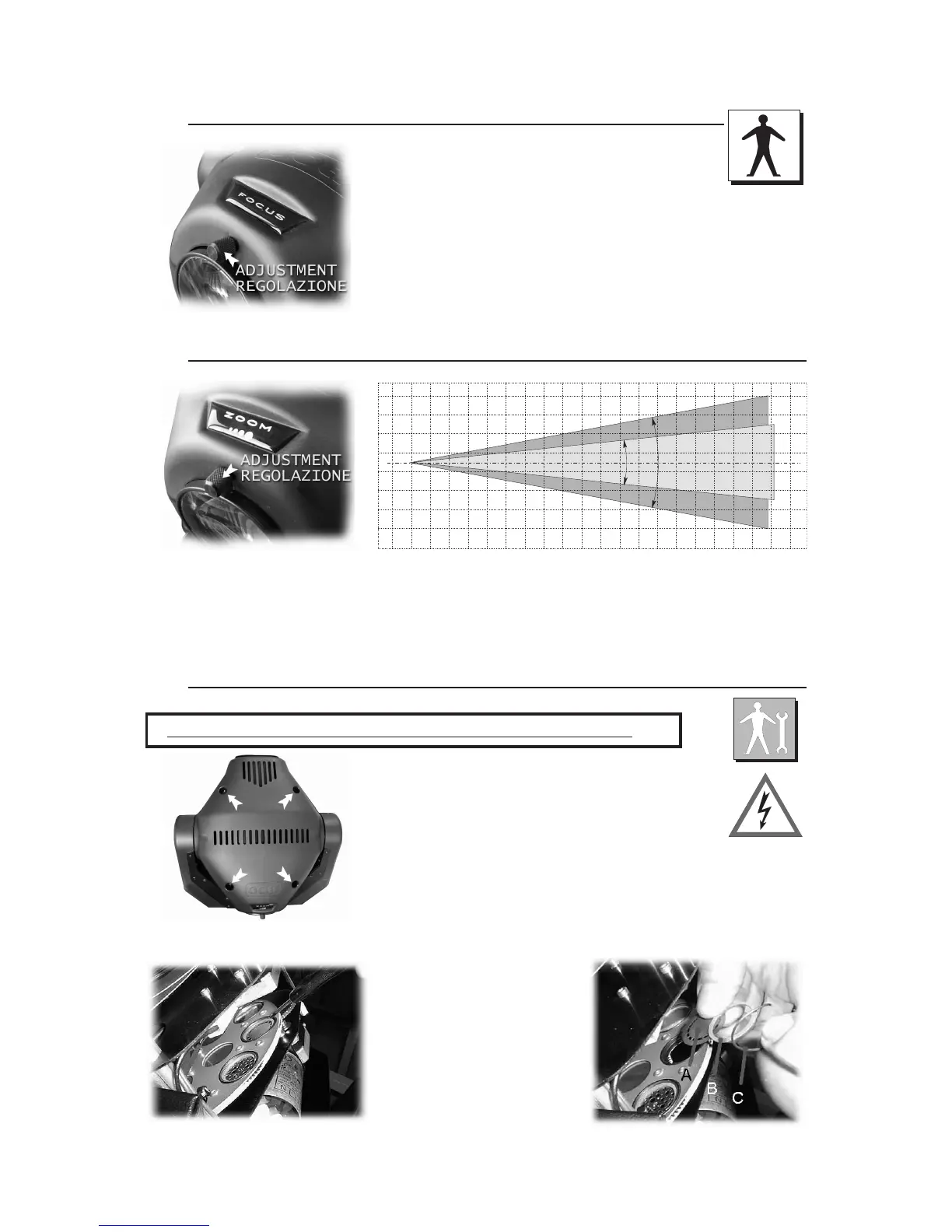
6.0 FOCUS ADJUSTMENT
7.0 ZOOM ADJUSTMENT
WARNING: switch off the projector before operating
Open the cover of the MP250 Zoom first, by means of
the 4 release-screws which hold it to the frame.
The gobo-wheel contains both steel gobos and dichroic gobos. They
are interchangeable simply by removing the little elastic ring with a screw-
driver (see figure).
In order to replace a dichroic gobo with a steel gobo, put a thick ring be-
tween the gobo and the elastic ring (see part. B).
Insert the chosen gobo and place again the steel ring, paying attention
that it reaches its correct position.
12°
21°
The width of the light beam of the MP250 Zoom is adjustable between 12° and 21° by means of the knob located
on the front part of the projector and indicated with the writing ZOOM.
Position your projector and adjust this knob in order to obtain the desired beam width.
Do not force your adjustment beyond the upper and lower limits of the available stroke.
8.0 GOBOS REPLACEMENT


 To Next Page